What’s new in this version?
Nero Start introduces new ways to find the right tools, access your recent work, and manage your Nero products more easily.
Here’s what’s new and improved.
1. Get things done faster with Nero Quick Actions
Not sure which Nero app to use for a particular task? Nero Quick Actions helps you get started without searching through different applications.
You can start in two ways:
- Drag and drop your files: Drop videos, photos, audio files, or other supported files into Quick Actions. Nero Start suggests relevant actions and applications.
- Choose a task: Browse common tasks, such as burning discs, converting media, or working with AI tools, and select what you want to do.
Nero Start guides you to the appropriate application. If the required app isn’t installed or available with your current license, it can help you find installation or upgrade options.
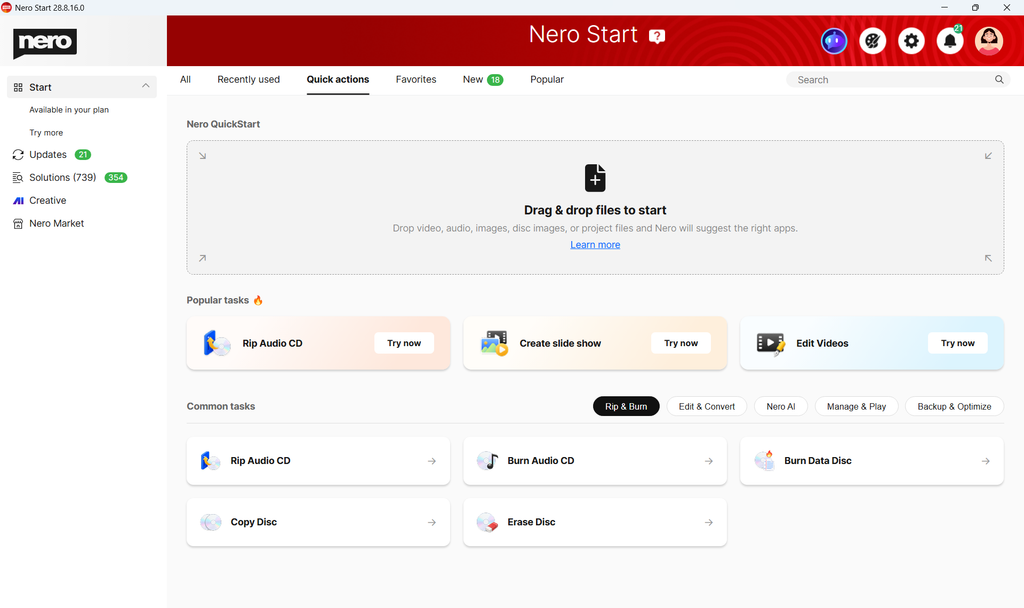
Tip: Use Quick Actions when you know what you want to do but aren’t sure which Nero application to open.
2. Find apps and services more easily with the new navigation
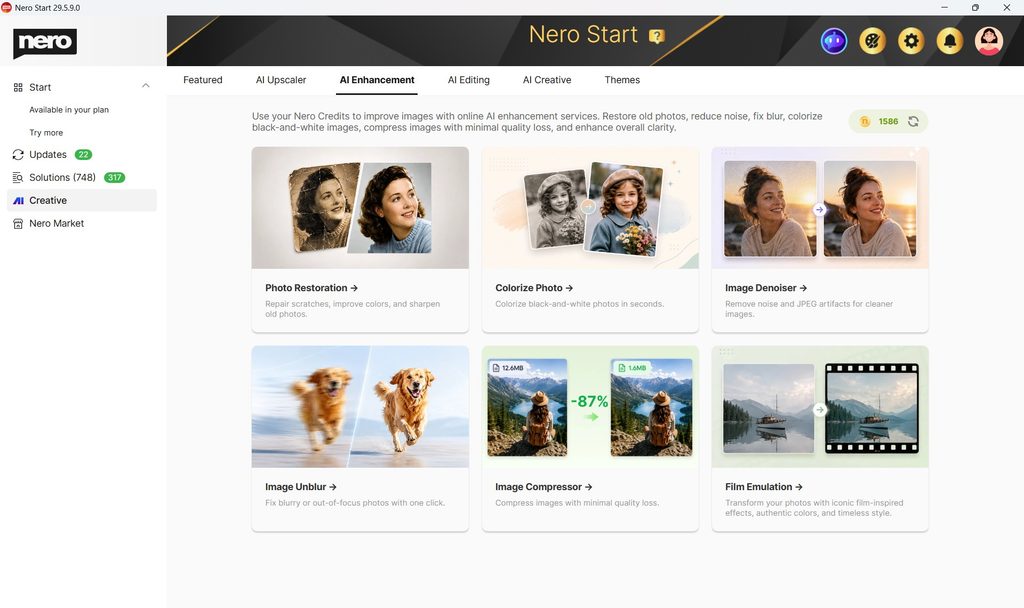
Nero Start 2027 introduces Creative and Market sections to help you explore Nero’s tools and services.
- Creative: Discover Nero’s AI-powered creative tools and online services.
- Market: Browse Nero applications or products on other channels, and available VIP offers.
These sections make it easier to find what you need without browsing through unrelated applications or features.
3. Continue your work with Recently used
Need to reopen a project or file you’ve worked on before?
The improved Recently used section provides quick access to your recent projects and files directly from Nero Start.
- Open Nero Start.
- Find the Recently used section.
- Select a recent project or file to open it in the corresponding application.
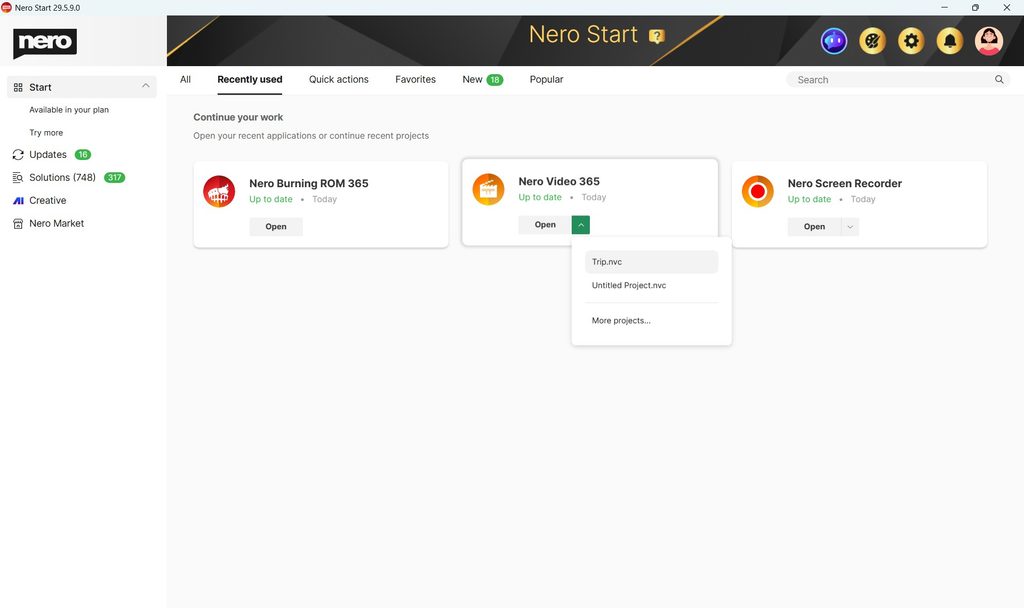
Tip: Recently used is especially helpful when you’re working on the same media project over multiple sessions.
4. Activate and extend your Nero products more smoothly
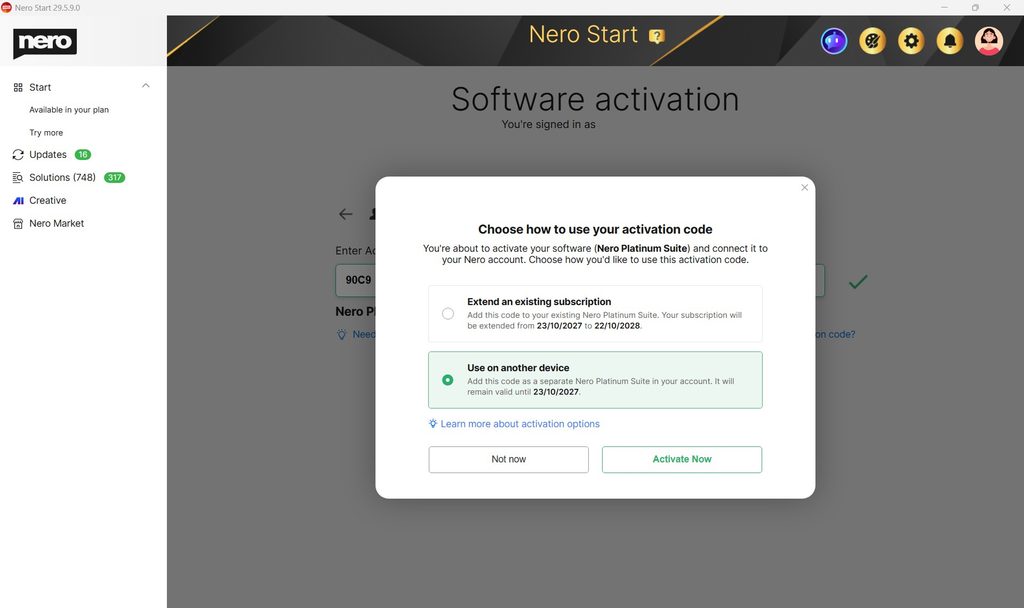
If you purchased a Nero product from an offline retailer and received an activation code, Nero Start 2027 makes activation easier, especially if your Nero Account already contains a subscription to the same product.
You can choose to activate the product for another device or extend your existing subscription. The improved process also helps you manage activation when you have multiple licenses for the same product.
5. Bug fixes and usability improvements
Nero Start 2027 also includes additional bug fixes and usability improvements for a smoother, more reliable experience.
Get started with Nero Start 2027
Explore Nero Quick Actions, check out the new Creative and Market sections, or open a recent project to try the improvements.
With Nero Start 2027, it’s easier to find the right tool and get back to what you were doing.