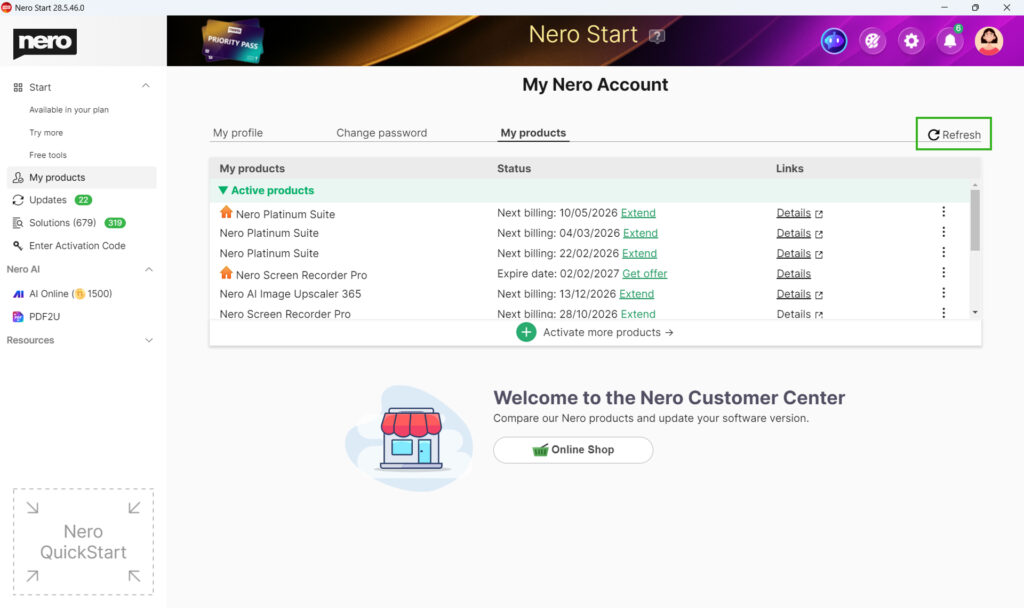
1) Do I need to download the installer?If your product is Nero 2021 or newer and Nero Start is already installed, you usually do not need a separate installer. Nero Start can download, install, and update the included applications for you.
You need to download an installer if:
- Nero Start is not installed on your PC.
- You are using an older Nero version that does not support installation via Nero Start.
If you only want to download the installer of Nero Start, please get it here.
2) Where can I get the installer of my product?
You can download the installer from:
- Your Nero Account (recommended): https://login.nero.com/oauth/profile/subscriptions-and-plans/desktop-products (Find your product and download its installer).
- Your retailer email / digital delivery message, or the product card included in the box.
- The download link shown after online activation (for activation-code products) at www.nero.com/go.
- For older versions: https://www.nero.com/eng/downloads/previous-versions/bootstrap/nero-previous-downloads.php
3) How do I download and install?
Option A: Use Nero Start (recommended)
Nero Start is already installed and your product is Nero 2021 or newer
- Open Nero Start from your desktop (or Start menu).
- Sign in with the same Nero Account you used to purchase or activate the product.
- Go to Updates view to intall or update your applications.

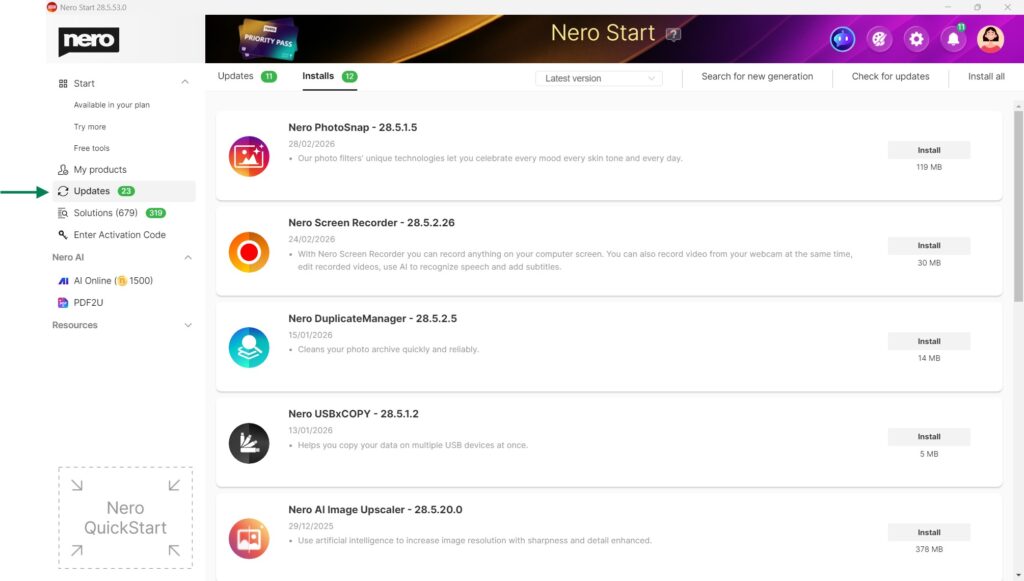
Option B: Download after activation
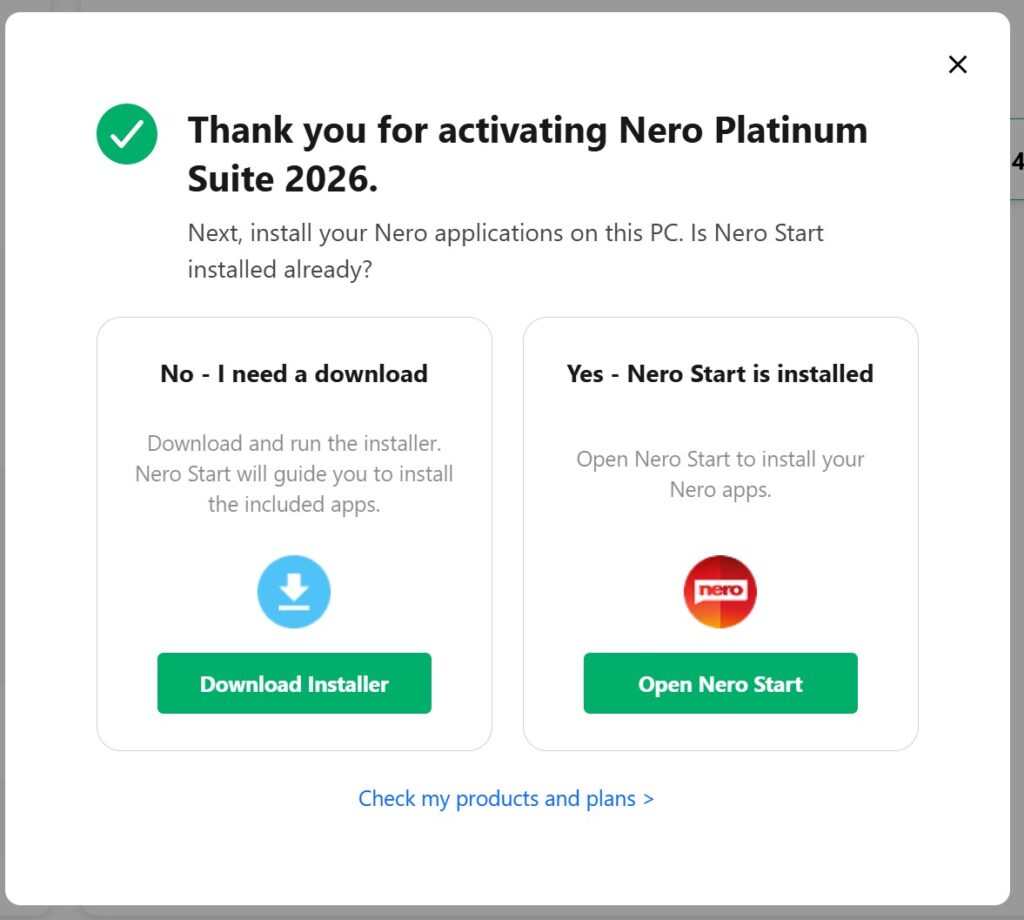
In the ‘thank you for activating’ dialog, download the installer.
- Download the installer offered after activation (or via the link on the product card / retailer email).
- Run the installer to install Nero Start and the product applications.
- Launch Nero Start and sign in with the same Nero Account used for activation.
- If prompted, follow the on-screen instructions to install or update the product applications.
Option C: Download from your Nero Account
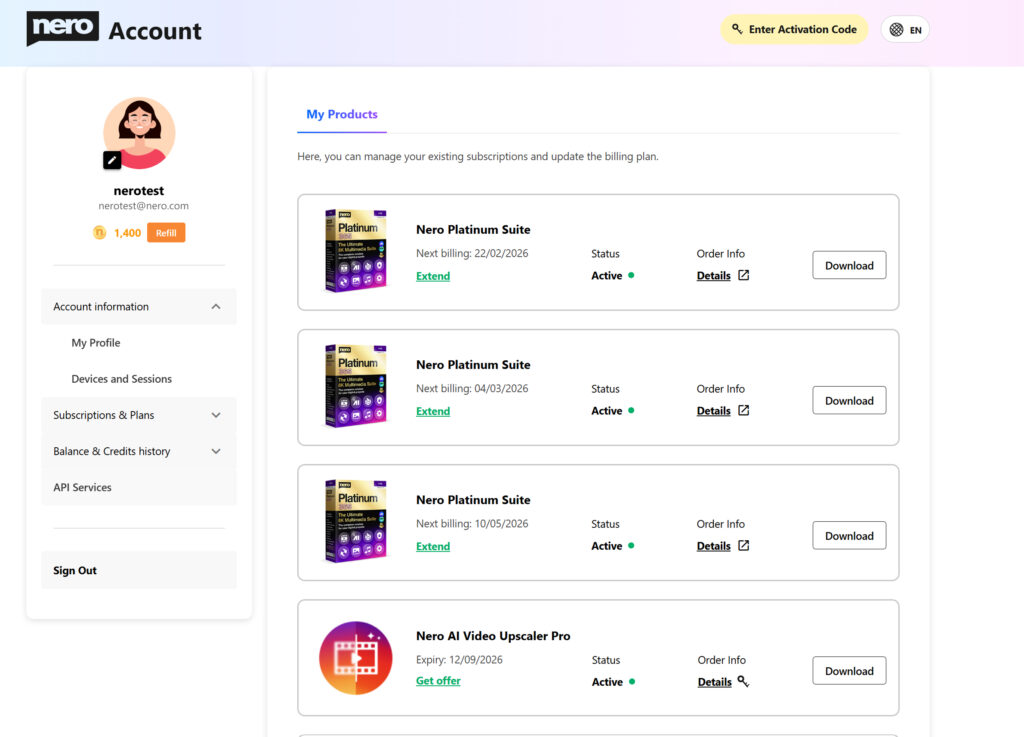
- Open https://login.nero.com/oauth/profile/subscriptions-and-plans/desktop-products and sign in.
- Find your product and select Download.
- Run the downloaded installer and follow the setup instructions.
Option D: Download from official website
Download Nero older versions from: https://www.nero.com/eng/downloads/previous-versions/bootstrap/nero-previous-downloads.php
Troubleshooting
I don’t see my product or a Download entry.
Sign in with the correct Nero Account (the one used for purchase/activation). Then check Account > My products in Nero Start and refresh. If the product still does not appear, contact Nero Support and include your order/activation details.