Note: This feature is only available in Nero Volume License products.
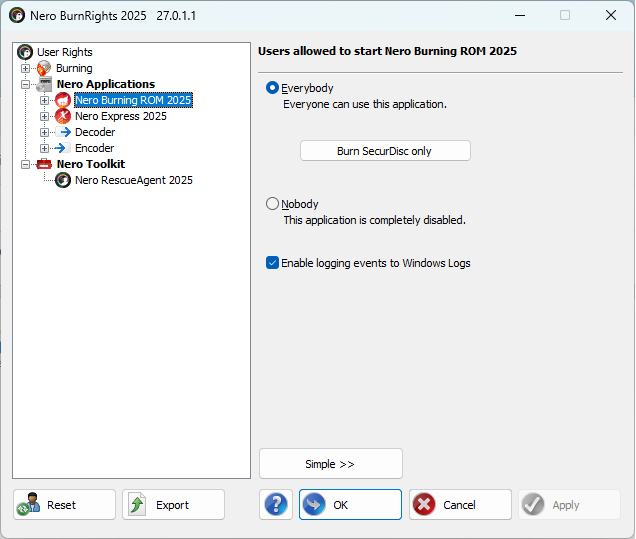
- Open Nero BurnRights on your PC.
- Click Nero Burning ROM or Nero Express in left panel, check the option ‘Enable logging events to Windows Logs’.
This option is applied for both Nero Burning ROM and Nero Express for the same time.
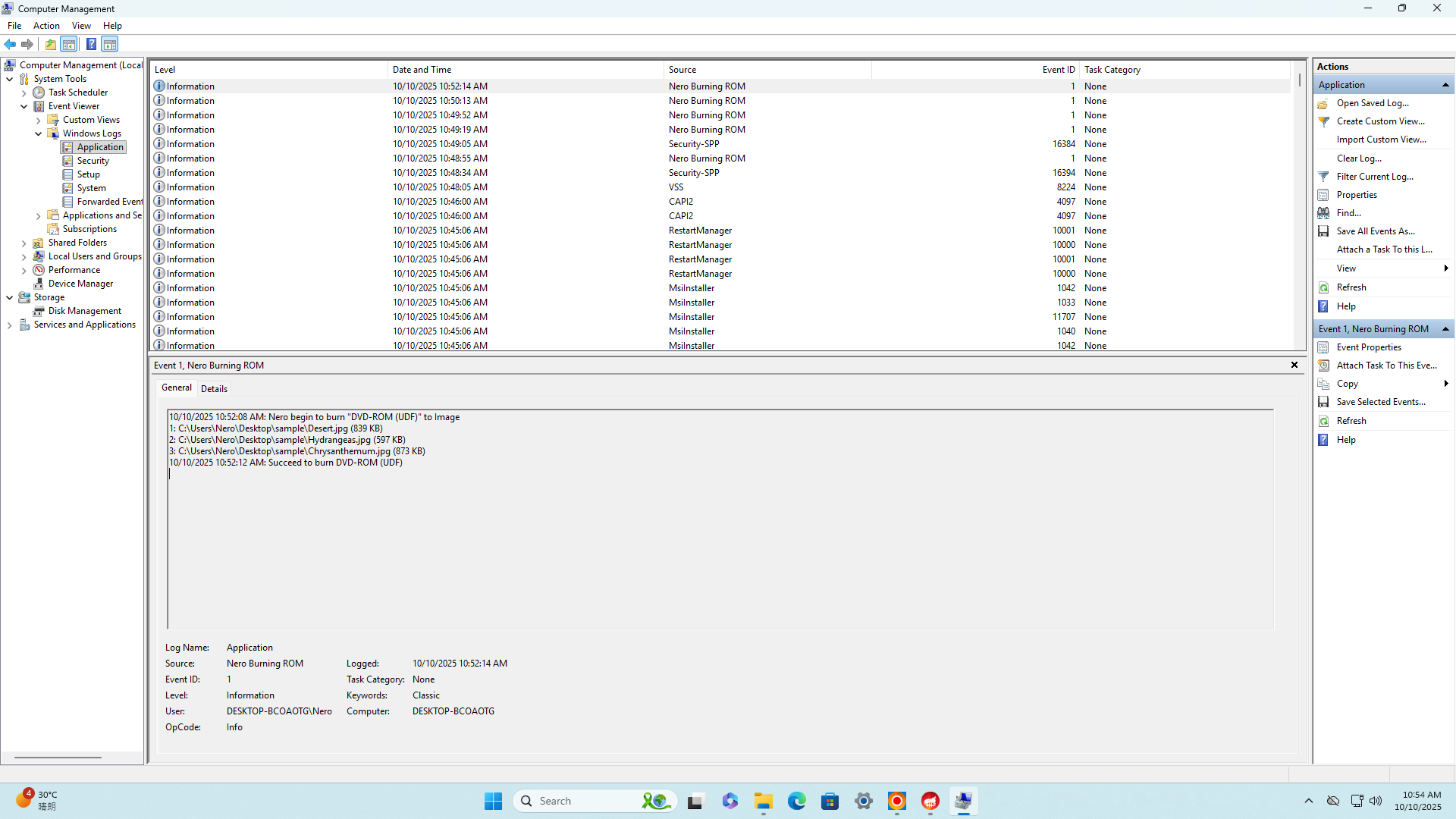
 After disc is burned, check the Windows log from the following position in the Computer Management program:
- Event Viewer → Windows Logs → Application

Visited 138 times, 1 visit(s) today