Applies to: Purchases made directly on www.nero.com where the payment was processed by 2Checkout.
| No activation code is required for these purchases. Your product is automatically added to your Nero Account. Signing in unlocks the product. |
1) Do I need an activation code?
No. If you purchased your Nero product directly from www.nero.com via 2Checkout, you will not receive an activation code. The purchase is linked to your Nero Account automatically.
2) Which email address should I use to sign in?
Use the email address you entered during checkout on www.nero.com. A Nero Account is created automatically with that email address, and your product is added to it.
3) Where do I find my password?
Your initial password is sent to you by email after purchase. If you cannot find it, check your spam/junk folder and then use the “Forgot password?” / “Request password again” option on the sign-in screen.
4) How do I unlock the product?
Follow these steps:
- Install the product.
You can download the installer from your purchase email. - Open Nero Start.
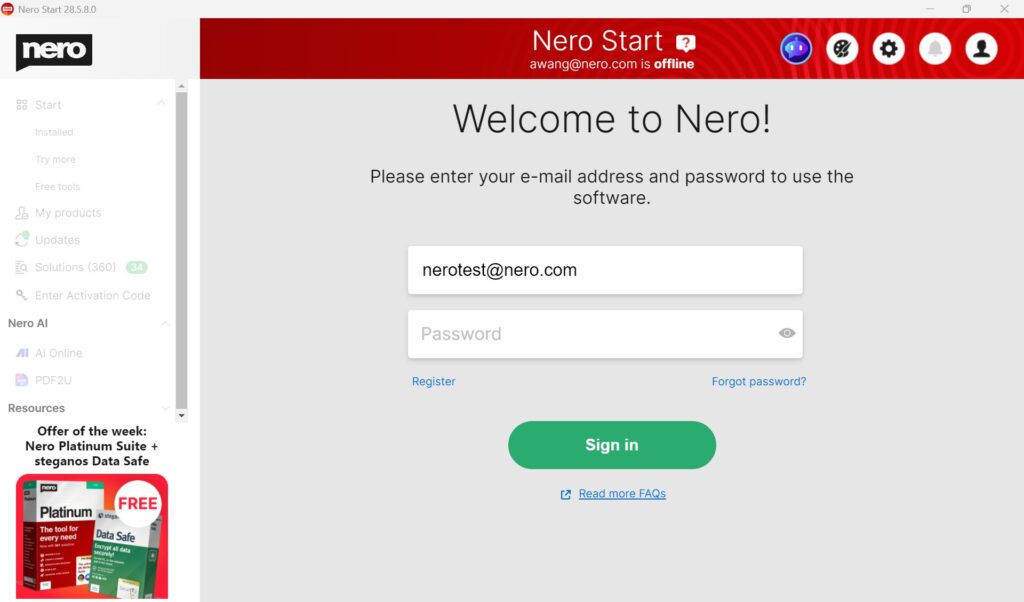
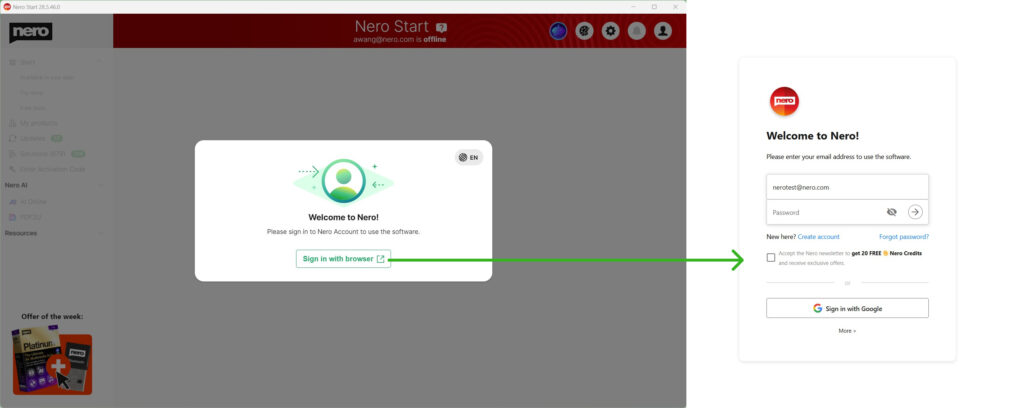
- Enter the email address you used during checkout.
- Enter your password. If needed, select “Forgot password?” / “Request password again”.
- After you sign in, the product unlocks automatically.
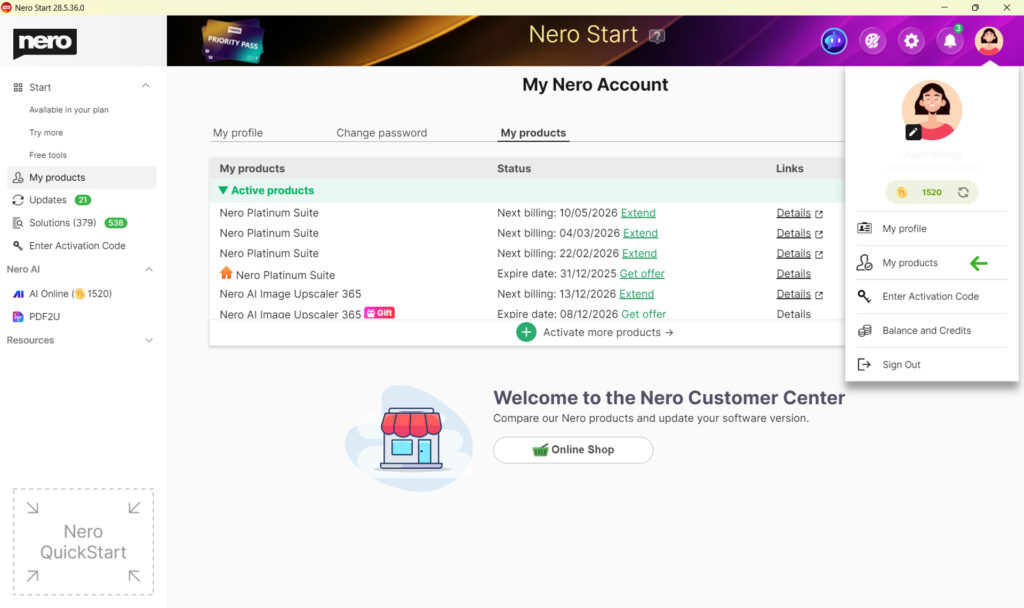
- To confirm, go to Account > My products. Your purchased product should be listed there.
Troubleshooting
- I did not receive the password email.
Check spam/junk folders and search your mailbox for “Nero” and your order confirmation. Then use “Forgot password?” / “Request password again” on the sign-in screen.
- I’m not sure which email address I used at checkout.
Use the same email address that received the order confirmation from www.nero.com / 2Checkout. Try any alternative email addresses you may have used for the purchase.
- The product is still locked after I sign in.
Confirm you signed in with the purchase email address, and check Account > My products. If the product is not listed, sign out and sign in again. If the issue continues, contact Nero Support and include your order information.
- I see an “Enter Activation Code” item.
For nero.com purchases via 2Checkout, you do not need an activation code. Ignore this option and unlock the product by signing in to your Nero Account.
Note: If you purchased Nero from a retailer, reseller, or as a boxed product, activation may work differently and an activation code may be required. You will find more information at below article:
Getting started with your Nero product – retailer/reseller purchase