Nero MediaHome – release notes v.28.5.2.5 / v.28.0.1.5

Nero MediaHome – 2026 New Year Update Release Notes

This 2026 New Year Update release of Nero MediaHome introduces functional enhancements focused on usability, media organization, and extended processing capabilities. Several improvements are based on long-standing customer requests.


Photo and Metadata Enhancements

1-Click Editing of “Date Taken”

The Date Taken metadata of photos can now be triggered directly from the Info panel.
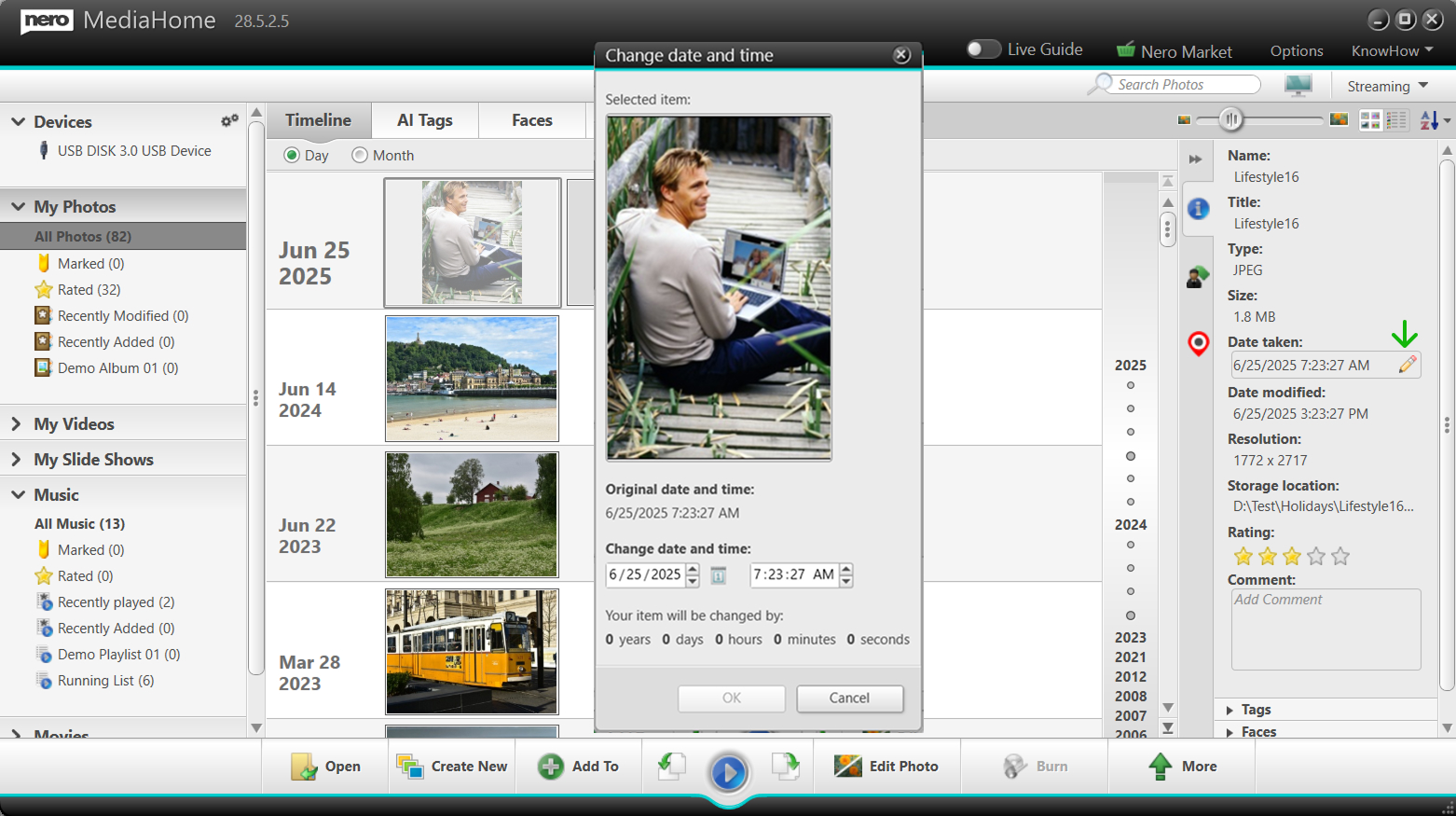
Edit "Date taken" for photo from Info Panel
Example: Edit “Date taken” for photo from Info Panel
  • Faster correction of incorrect or missing dates

  • Suitable for scanned images and imported photo collections


New Comment Field in the Info Panel

A new Comment field has been added to the Info panel.
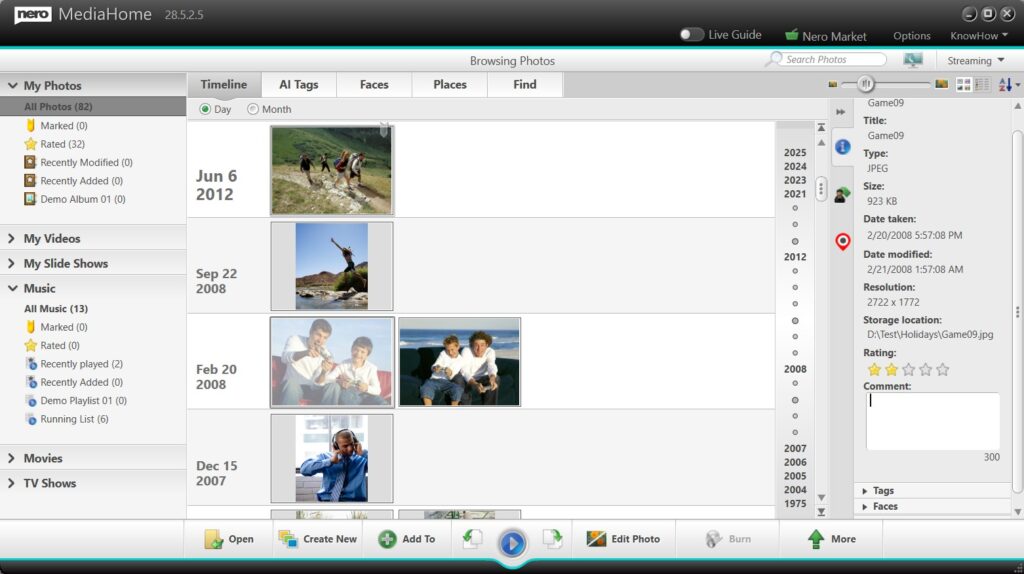
Add comment for photo from Info Panel
Example: Add comment for photo from Info Panel
  • Enables users to add personal notes, stories, or descriptions

  • Supports long-term documentation of photo libraries


1-Click Handover to Nero AI Online Services

Photos can now be handed over with one click to Nero AI online services.
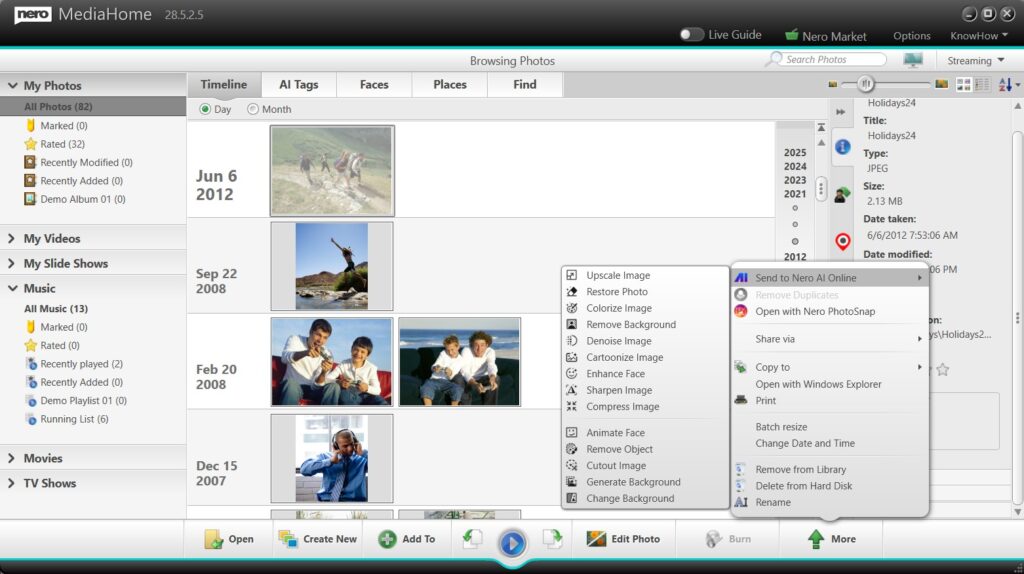
Send to Nero AI online to enhace photos
Example: Send to Nero AI online to enhance photos
  • Supports single photo enhancement

  • Supports batch photo enhancement

  • Provides access to advanced AI-based image processing

This integration allows users to benefit from powerful AI technology while continuing to manage their media within Nero MediaHome.


Slideshow Improvements

Slideshow Thumbnail Zoom Control

A zoom slider has been added to the slideshow thumbnail overview.
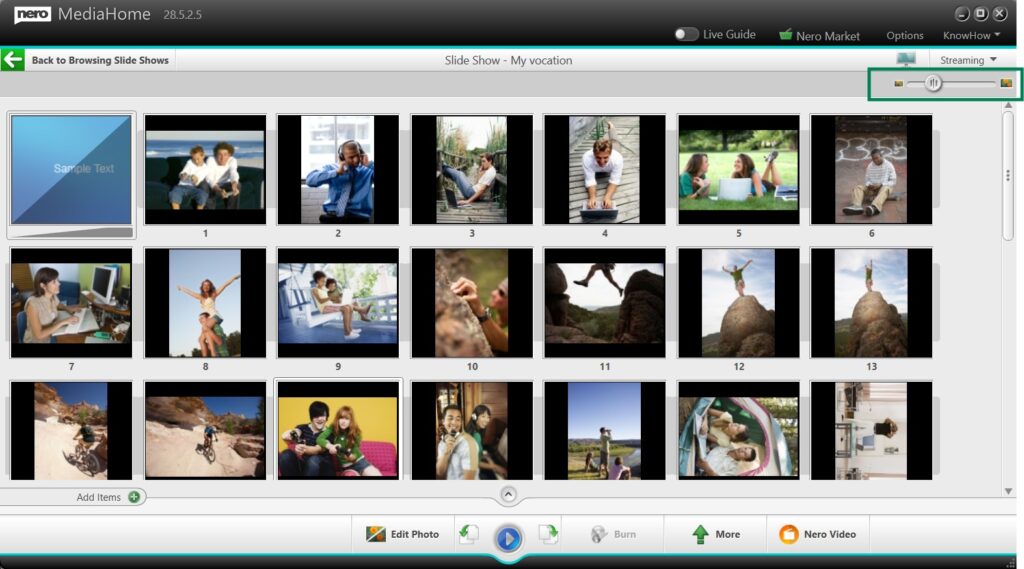
Slideshow Thumbnail Zoom Control
Example: Slideshow Thumbnail Zoom Control

  • Adjust thumbnail size for improved visibility

  • Simplifies selection and ordering of slideshow images

  • Especially useful for large or high-resolution collections


Music Playback and Export

Music Normalization

Nero MediaHome now supports music normalization.
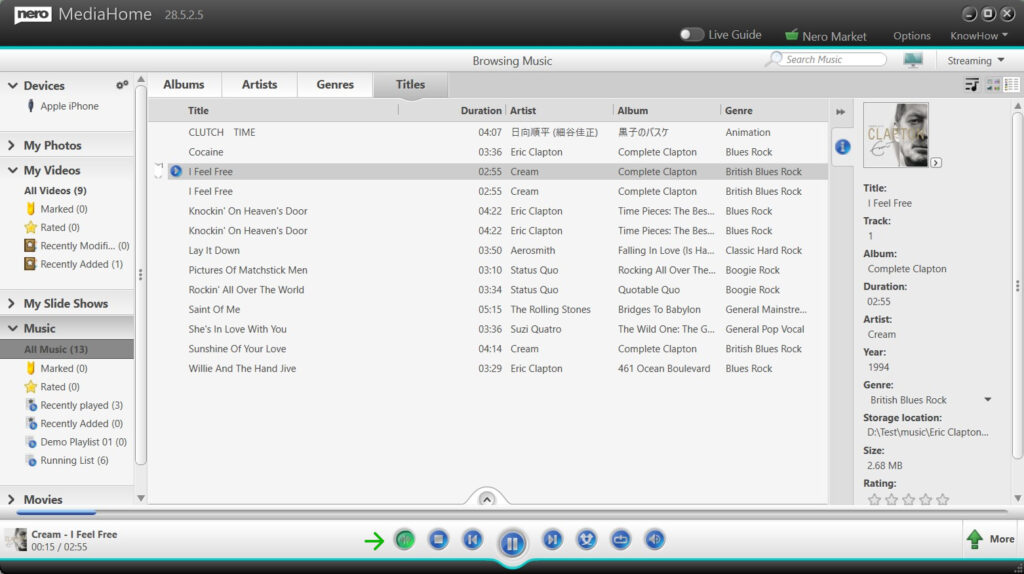
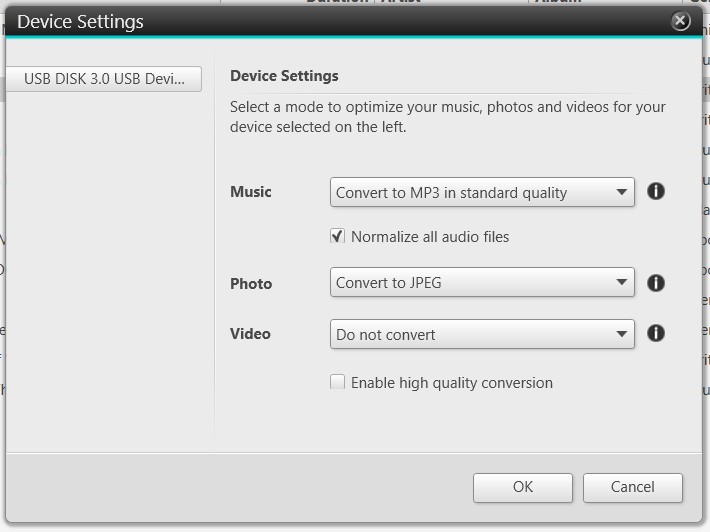
turn on audio normalization
Example: turn on audio normalization
Normalize all audio files in Device Settings
Example: Normalize all audio files in Device Settings
  • Available during music list playback

  • Supported when exporting music to external devices

This optional feature helps achieve more consistent volume levels across different tracks.


Availability

All features listed above are included in the Nero MediaHome New Year Update release and are available for Nero MediaHome 2026, Nero Platinum 2026 and Nero Platinum subscribers.
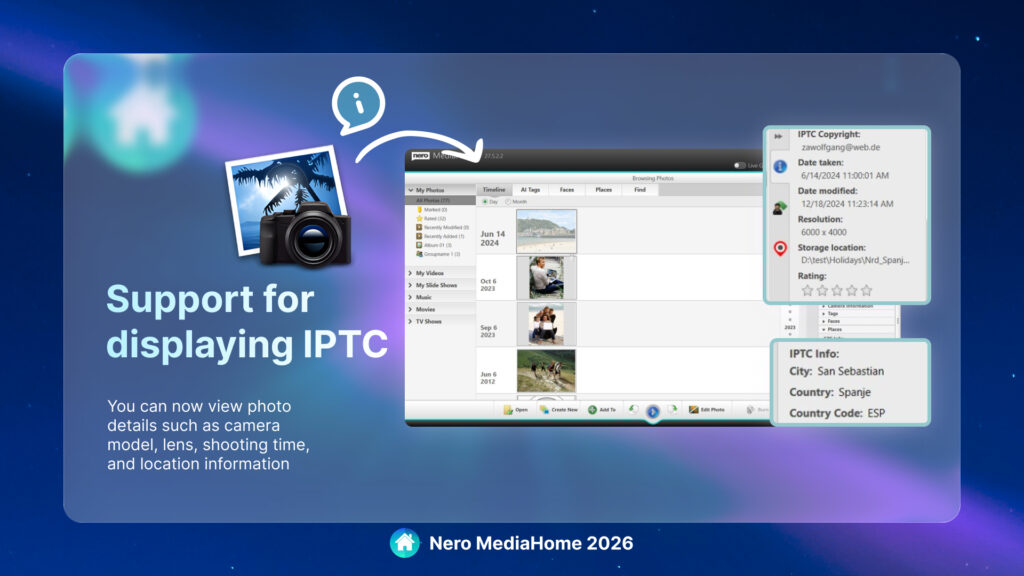
What’s new in Nero MediaHome 2026?

Nero MediaHome 2026 introduces powerful new features that make managing, organizing, and sharing your media collections easier than ever. Based on user feedback, this update brings significant improvements to metadata support and playlist/collection management across devices.

✨ What’s New

1. Full IPTC Metadata Support for Photos


  • View, search, and export IPTC metadata (e.g., location, title, copyright, creator) directly in Nero MediaHome.

  • Place information from IPTC tags is now integrated into the Places view, grouped together with your existing location data.

  • Edit IPTC metadata fields directly within Nero MediaHome and save changes seamlessly.

  • Benefit: Make use of the details you already added in-camera to better organize and find your photos.

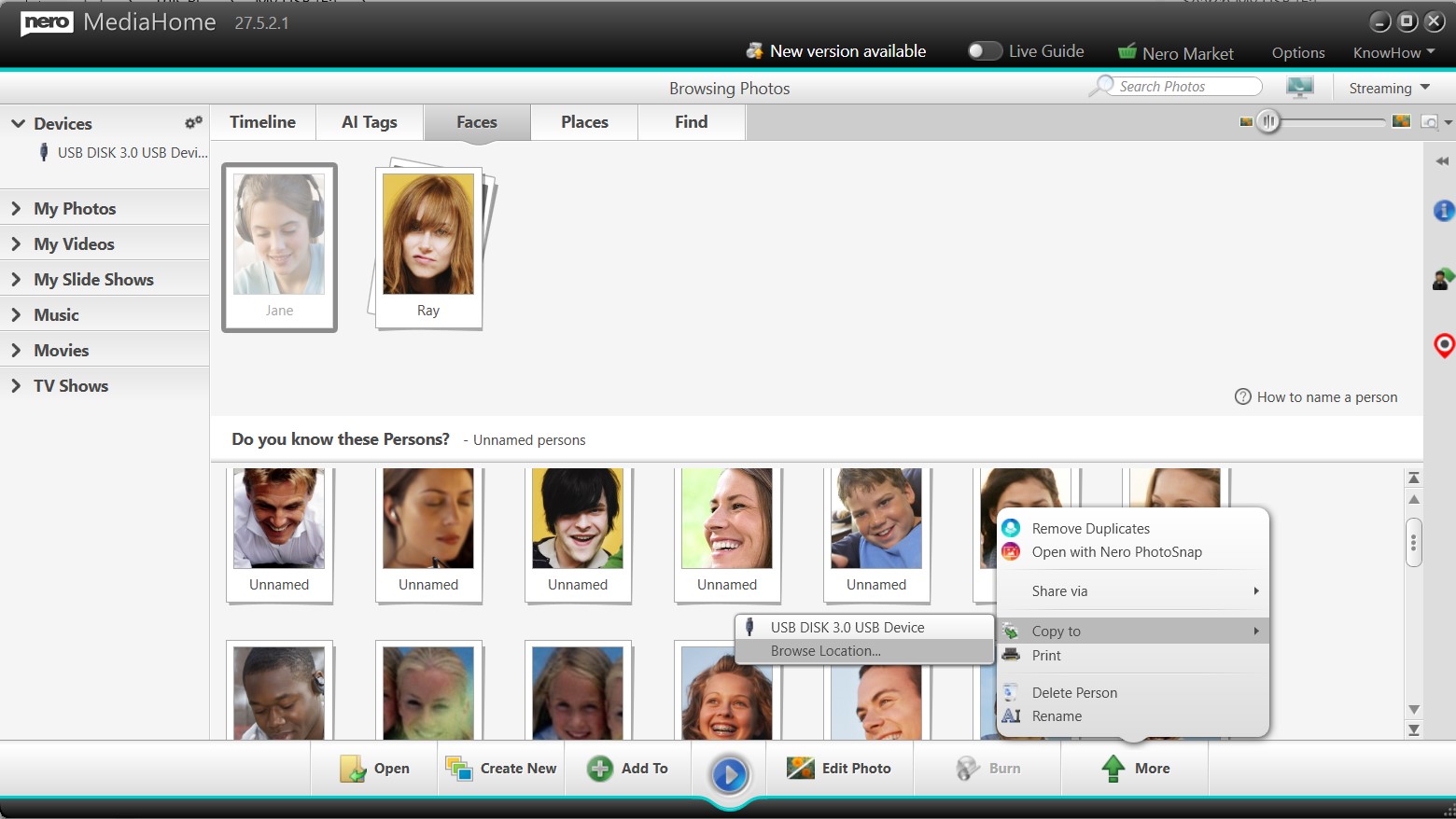
2. Import and Export Playlists Across Apps and Devices

  • Import music playlists from popular formats: m3u, m3u8, PLS, WPL.

  • Export playlists as m3u or m3u8, ensuring compatibility across a wide range of apps and devices.

  • Imported playlists are fully integrated into your library for playback, editing, and further organization.

  • ⚠️ Note: Only accessible files will be imported. Entries pointing to unavailable locations (e.g., cloud-only files) will be skipped. If all files are inaccessible, the playlist will not be imported.

  • Benefit: Reuse your playlists across different platforms without manual rebuilding.

3. Export Photo and Video Collections to Local Folders

  • Previously limited to external devices, you can now export collections directly to any local folder on your computer.

  • Folder and album structures are preserved during export, keeping your collections consistent and organized.

  • Works with collections by Faces, Places, Albums, or other groupings.

  • Benefit: More flexibility for sharing, backup, and cross-device use.

💡 Upgrade Tip

Available with Subscription

The new features in Nero MediaHome 2026 are available exclusively with a subscription.

  • If you’re already a subscriber, simply update to the latest version and start using IPTC metadata support, playlist import/export, and flexible collection exports today.

  • 👉 Upgrade your workflow with Nero MediaHome 2026 and take your media management to the next level.

Upgrade Now 🛒


Release Notes Nero 2019 > Nero MediaHome 4.4.1010

We are listening to your feedback.  Nero MediaHome 4.4.1010 has improved stability of the application, and fix the below issues:

  • Improved stability:
    1. Fixed some random crash at some special PCs.
    2. Fixed a file indexing problem if user also added his OneDrive as watched folder.
  • Now when getting online movie / TV Show information automatically, Nero MediaHome will take the ‘release year’ information into account as much as possible.

Nero KnowHow 00196


Release Notes Nero 2019 > Nero MediaHome Version 4.4.1002

Nero MediaHome Version 4.4.1002 has the following updates:

  • Hardware-accelerated decoding now also integrated in QuickView
  • Support for Nvidia Video Codec SDK 8.2 fixes hardware acceleration in encoding with Nvidia graphics cards. Please install Nvidia driver version 397.93 or higher
  • Playback of BDMV/BDAV/AVCHD folders works now

For executing an online update please open “Nero Control Center”, click “Update” and “Update Now”.

Nero KowHow 00169