Nero MediaHome – 2026 New Year Update Release Notes
This 2026 New Year Update release of Nero MediaHome introduces functional enhancements focused on usability, media organization, and extended processing capabilities. Several improvements are based on long-standing customer requests.
Photo and Metadata Enhancements
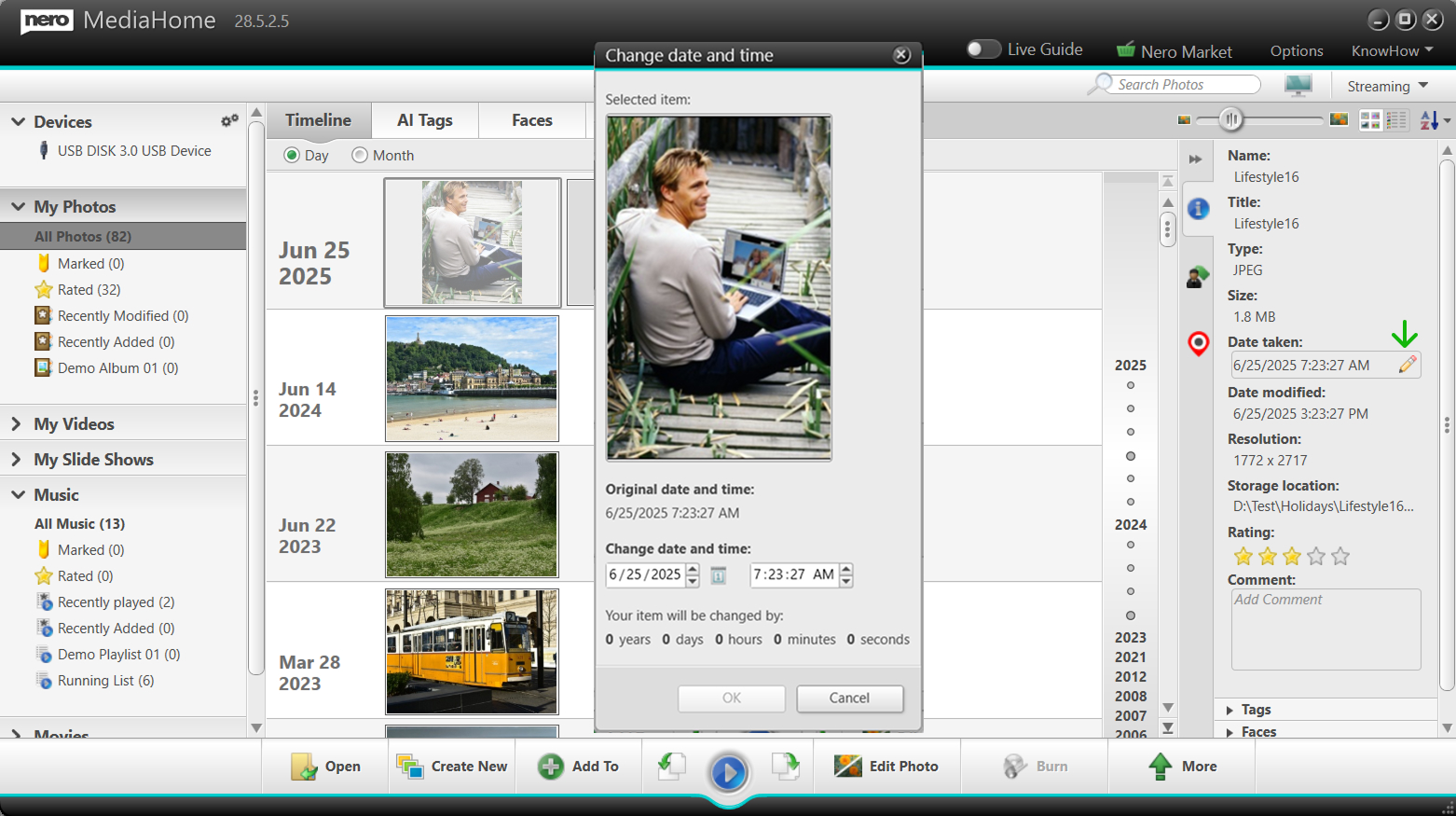
1-Click Editing of “Date Taken”
The Date Taken metadata of photos can now be triggered directly from the Info panel.
Example: Edit “Date taken” for photo from Info Panel
Faster correction of incorrect or missing dates
Suitable for scanned images and imported photo collections
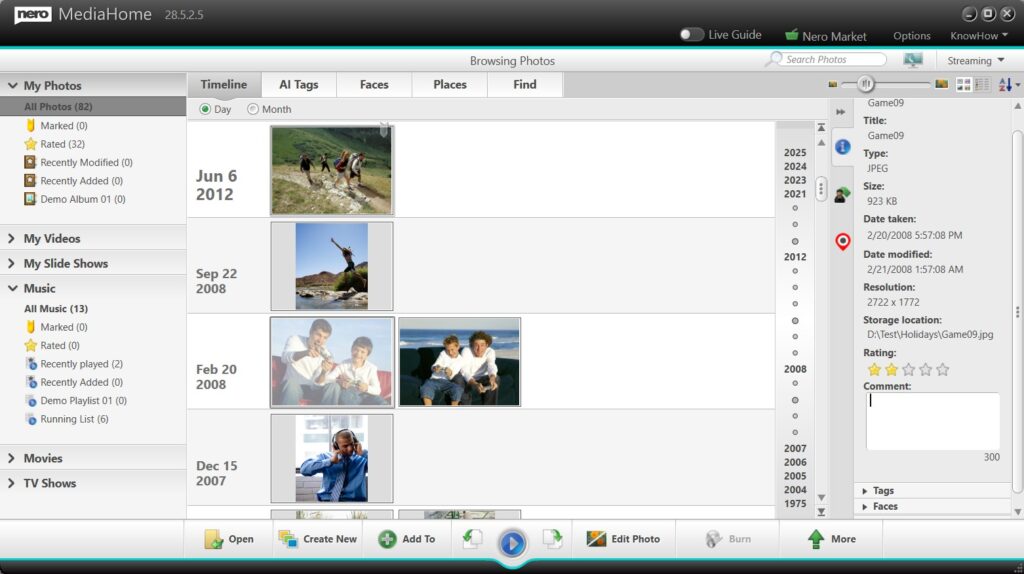
New Comment Field in the Info Panel
A new Comment field has been added to the Info panel.
Example: Add comment for photo from Info Panel
Enables users to add personal notes, stories, or descriptions
Supports long-term documentation of photo libraries
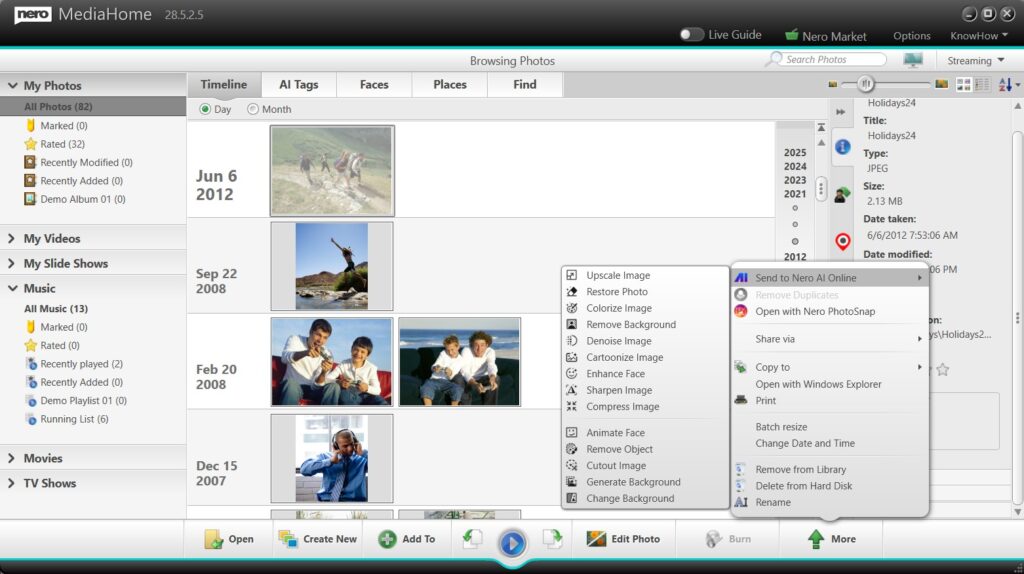
1-Click Handover to Nero AI Online Services
Photos can now be handed over with one click to Nero AI online services.
Example: Send to Nero AI online to enhance photos
Supports single photo enhancement
Supports batch photo enhancement
Provides access to advanced AI-based image processing
This integration allows users to benefit from powerful AI technology while continuing to manage their media within Nero MediaHome.
Slideshow Improvements
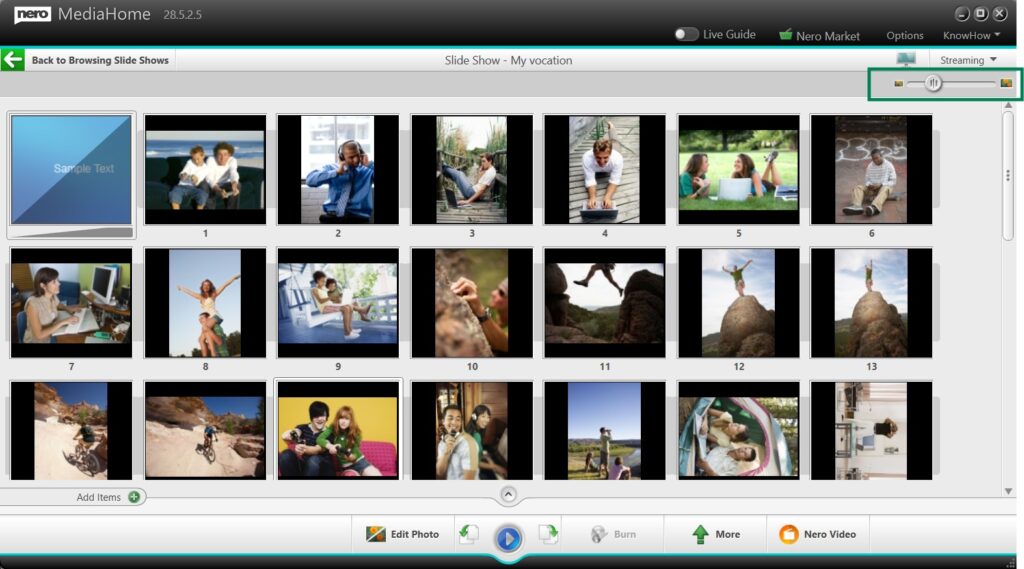
Slideshow Thumbnail Zoom Control
A zoom slider has been added to the slideshow thumbnail overview.
Example: Slideshow Thumbnail Zoom Control
Adjust thumbnail size for improved visibility
Simplifies selection and ordering of slideshow images
Especially useful for large or high-resolution collections
Music Playback and Export
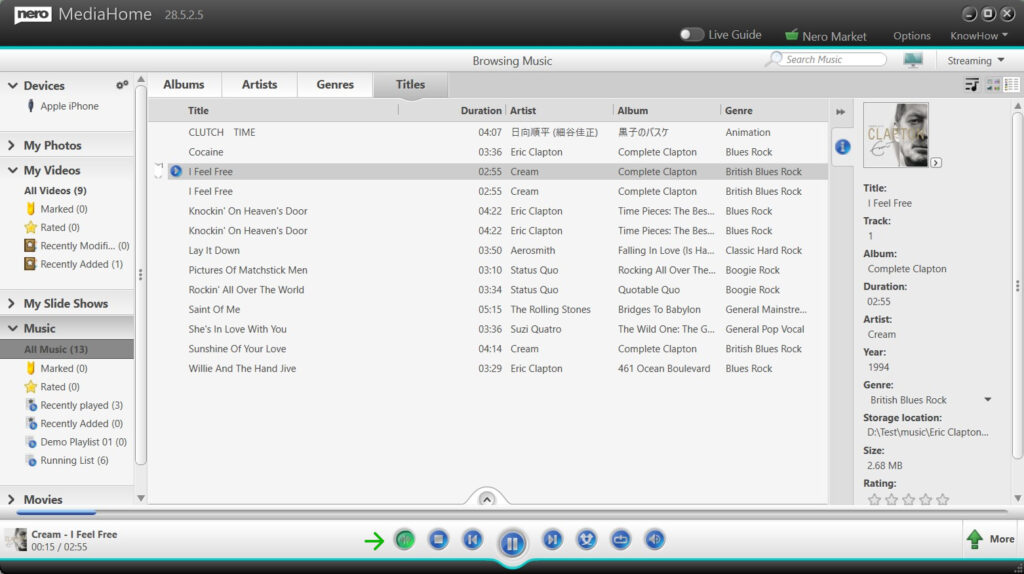
Music Normalization
Nero MediaHome now supports music normalization.
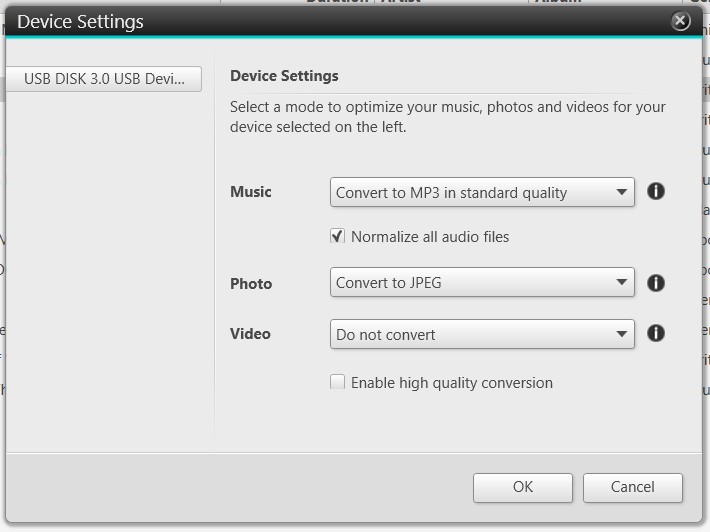
Example: turn on audio normalizationExample: Normalize all audio files in Device Settings
Available during music list playback
Supported when exporting music to external devices
This optional feature helps achieve more consistent volume levels across different tracks.
Availability
All features listed above are included in the Nero MediaHome New Year Update release and are available for Nero MediaHome 2026, Nero Platinum 2026 and Nero Platinum subscribers.
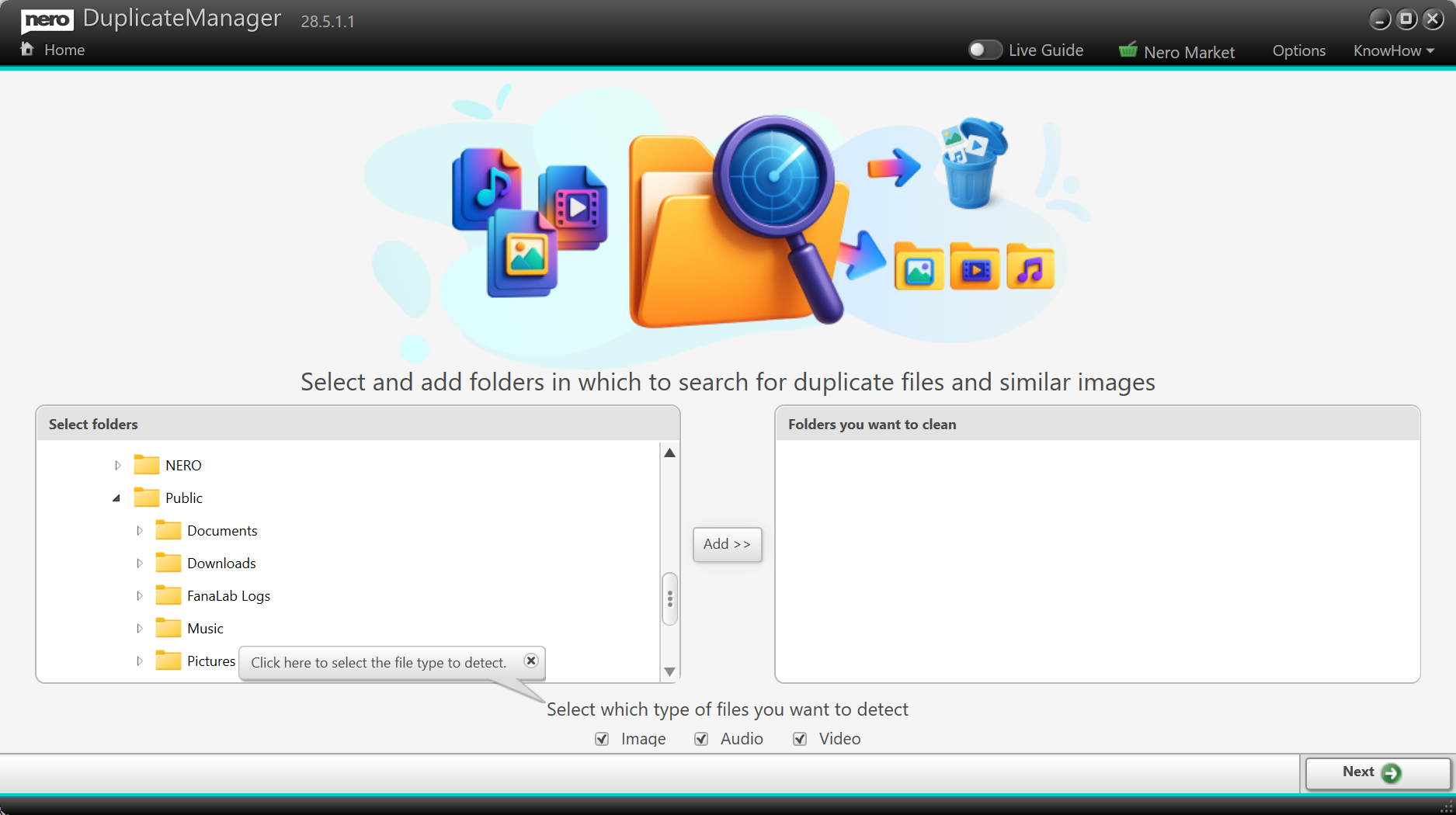
Keeping your media collection organized just got even easier. With the 2026 update of Nero DuplicateManager, we’ve expanded its powerful duplicate detection capabilities to go beyond images, making it the ultimate tool for cleaning and managing your digital library.
🎵 Detect Exact Duplicate Audio Files
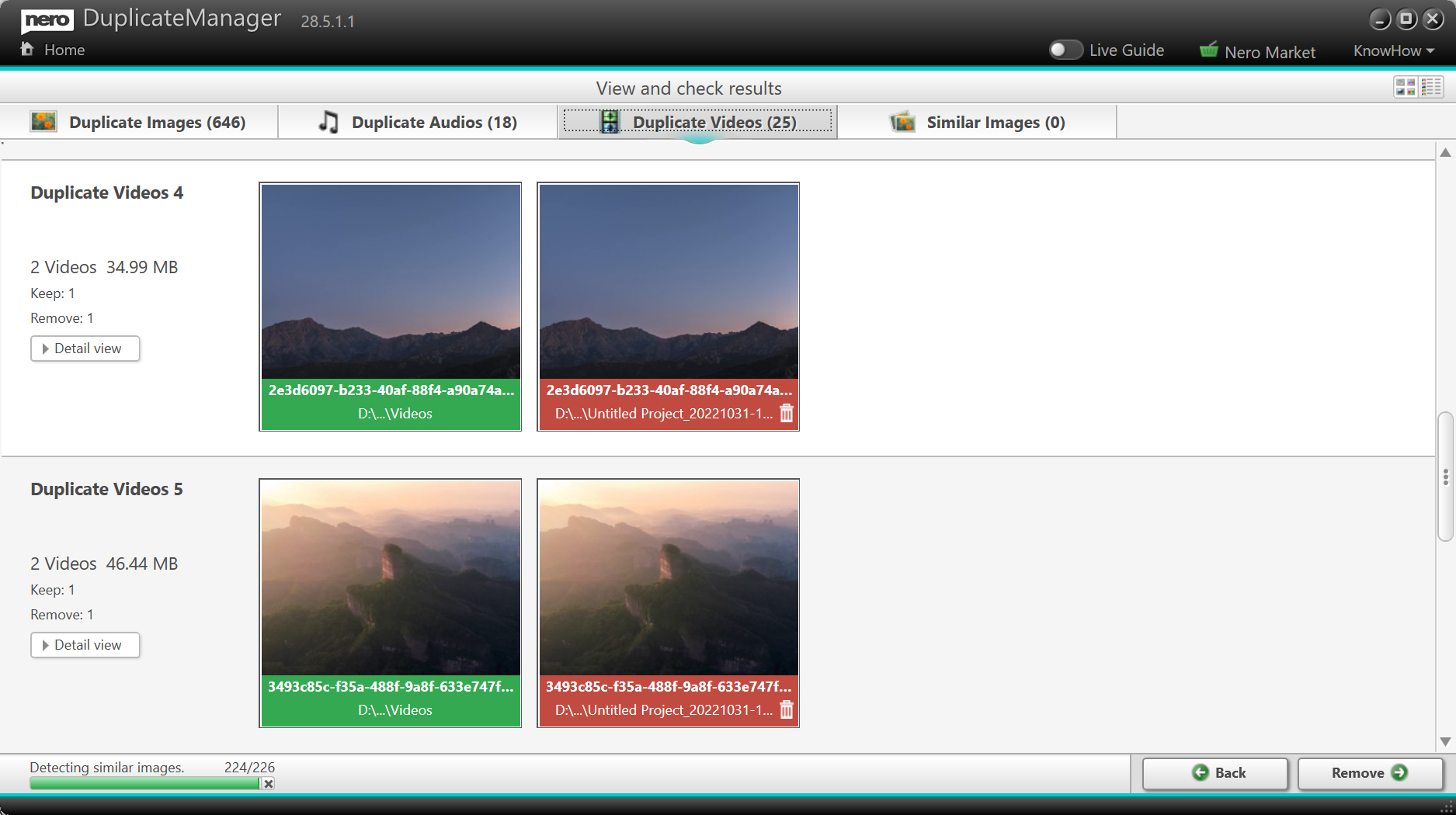
Got the same song stored in multiple folders? With the new audio duplicate detection, Nero DuplicateManager can now find exact duplicate audio files across your drives. Whether it’s duplicate music tracks in your playlists or backup folders you forgot about, you can quickly identify and remove unnecessary copies to free up space and keep your library tidy.
🎬 Detect Exact Duplicate Video Files
Videos often take up the most storage space—and now you can keep them under control. The new update introduces video duplicate detection, allowing Nero DuplicateManager to spot exact duplicate video files across your system. From old project exports to repeated downloads, you’ll be able to clean up your drives with confidence.
🖼️ Built on Proven Image Detection Technology
Nero DuplicateManager 2026 builds on its existing strengths. The previous version already helped users find exact and similar duplicate images, making it easy to organize photo collections. Now, with support for audio and video duplicates, it becomes a complete solution for managing all types of media files.
🚀 Part of Nero Platinum Suite
The new Nero DuplicateManager 2026 is included with the latest Nero Platinum Suite update. As always, you’ll get the newest features automatically, ensuring your tools are always up to date.
👉 Update to Nero Platinum Suite 2026 today and experience smarter media management with Nero DuplicateManager.
The wait is over—Nero AI Video Upscaler 2026 is here, and it comes packed with powerful new features designed to make your video enhancement workflow faster, smarter, and more flexible. Whether you’re a content creator, filmmaker, or simply someone who wants the best quality from their videos, this update is built with you in mind.
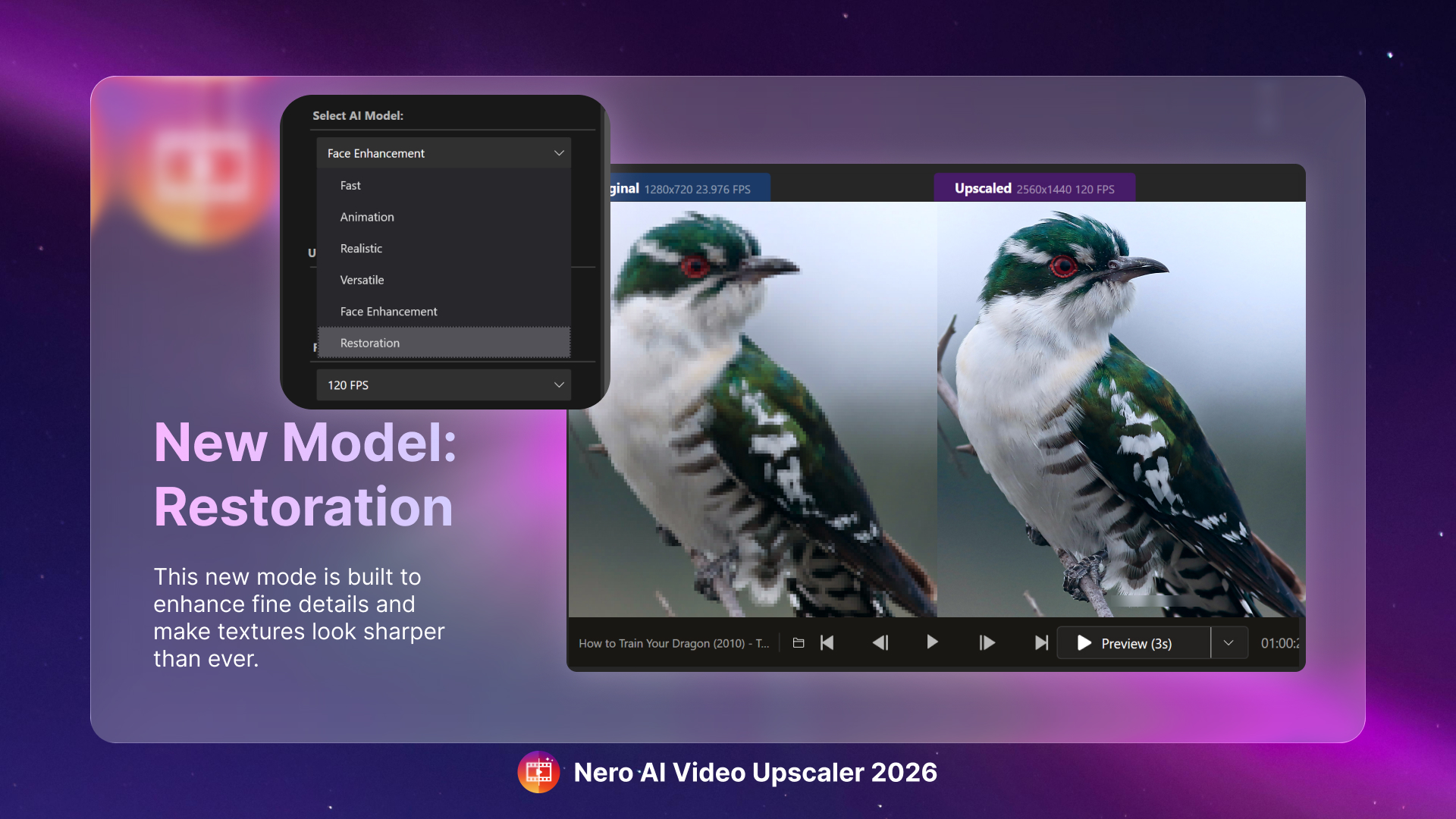
✨ New Enhance Detail Model
Bring out every nuance in your footage with the brand-new Enhance Detail model. Designed for users who want maximum sharpness and texture, this AI model goes beyond resolution upscaling to intelligently restore fine details, making old or low-resolution videos look sharper than ever before. Perfect for archival material, family videos, or professional projects where clarity matters most.
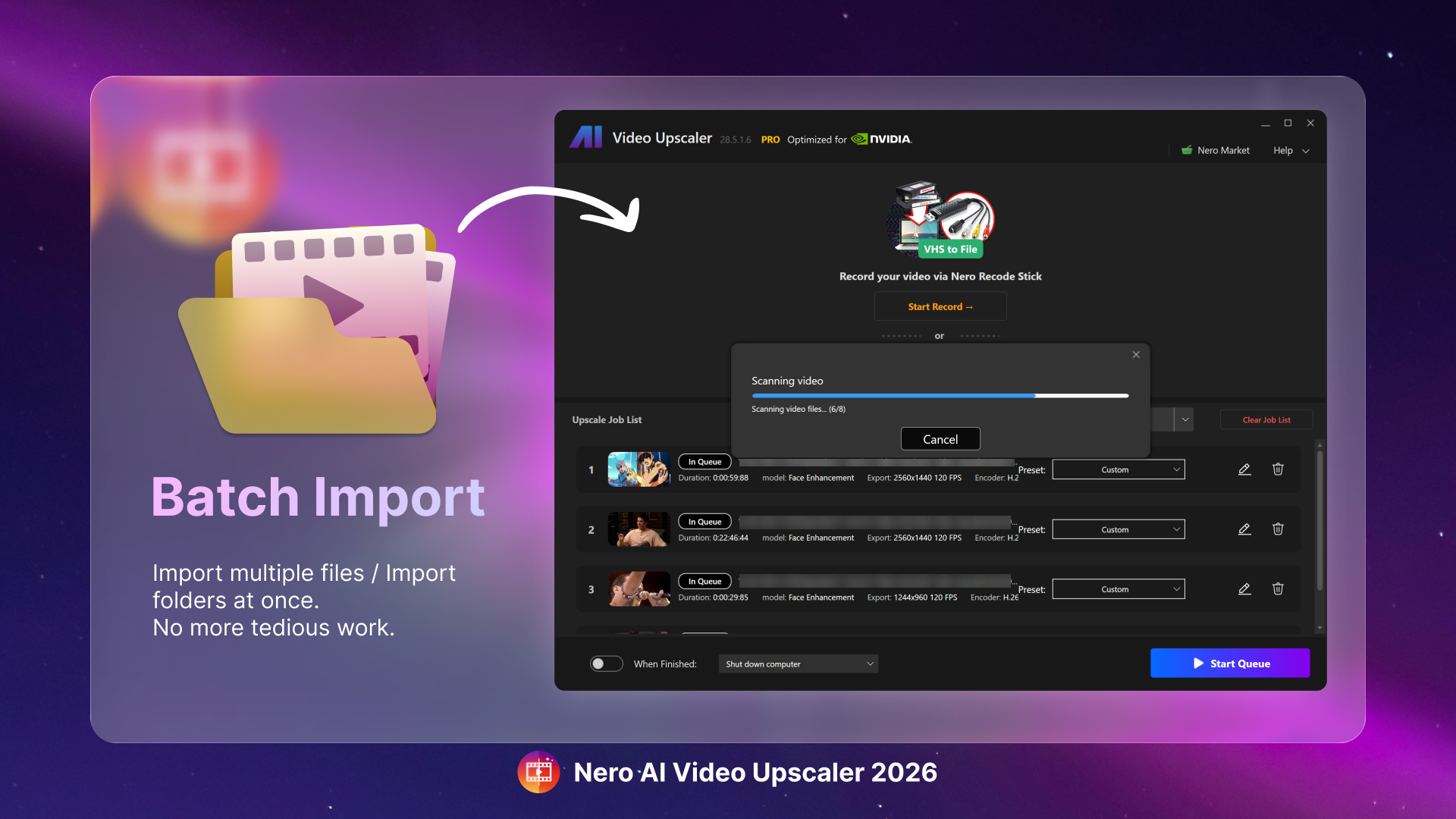
📂 Batch Video Import
Tired of loading files one by one? The Batch Video Import feature lets you add multiple videos at once for upscaling. Simply drag and drop entire folders into the app, and Nero AI Video Upscaler will automatically prepare them for processing. This means less time managing files and more time focusing on the results.
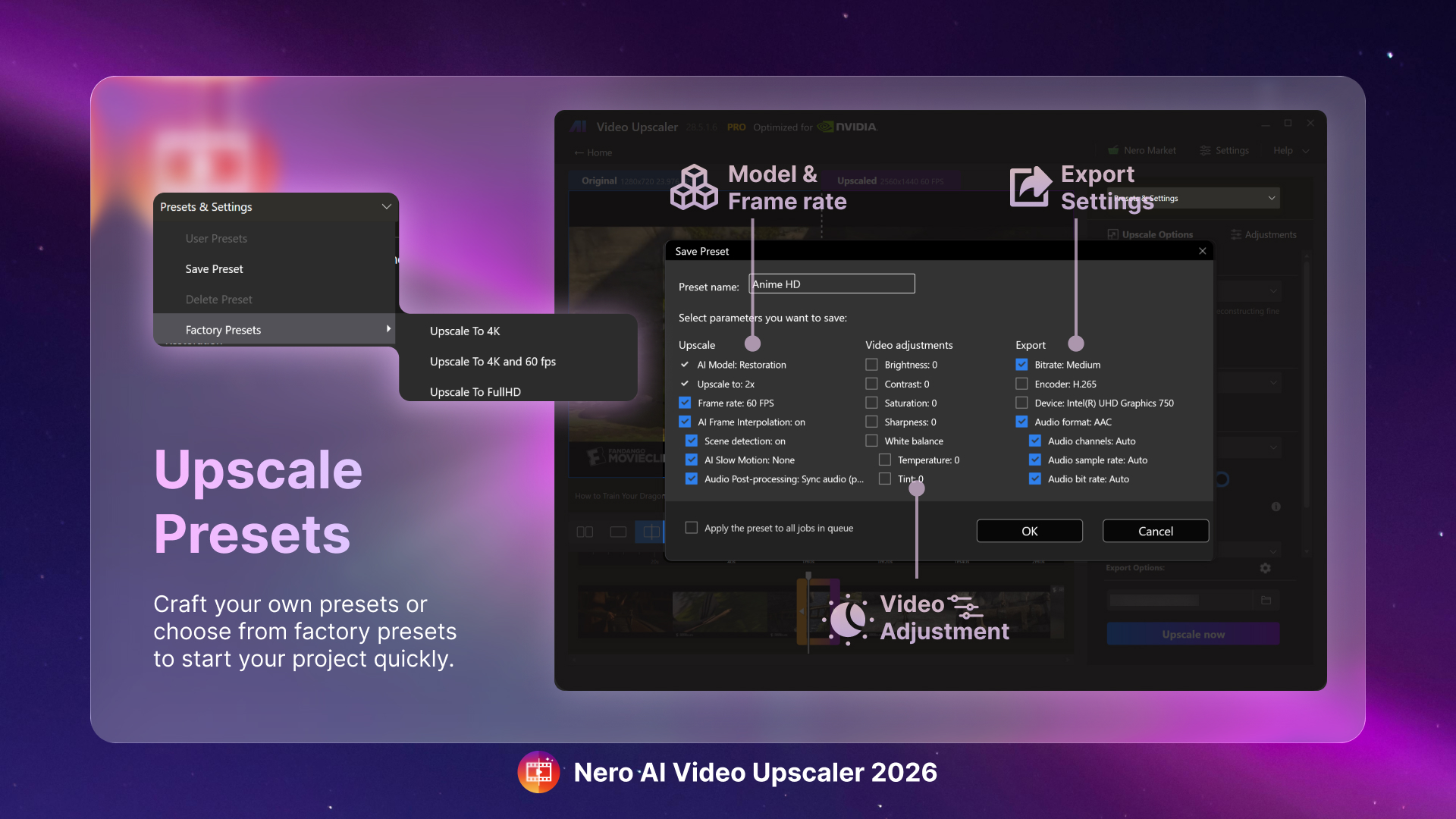
⚙️ Save & Load Presets for Batch Processing
Efficiency just got an upgrade. With the new Save and Load Presets, you can store your favorite settings—AI model, resolution, output format—and apply them instantly to future projects. Combined with batch processing, this feature is a game-changer for professionals handling large volumes of videos.
🚀 Built for Speed and Flexibility
These new tools aren’t just about convenience—they’re about giving you a workflow that adapts to your needs. Whether you’re enhancing a single clip with maximum detail or processing dozens of videos overnight, Nero AI Video Upscaler 2026 delivers a seamless editing experience.
✅ Availability
The new features in Nero AI Video Upscaler 2026 are available exclusively for:
Active subscriptions
Nero AI Video Upscaler 2026 Lifetime version
Nero AI Video Upscaler MS Store and Steam latest version
If you’re using an earlier lifetime version, upgrade today to access the new Enhance Detail Model, Batch Video Import, and Save & Load Presets.
👉 Upgrade now and unlock the full power of AI-driven video upscaling.
The 2026 update for Nero Screen Recorder is here, bringing smarter and smoother recording tools to make your content creation more dynamic than ever. Whether you’re recording tutorials, gameplay, or presentations, these new features are designed to help you work faster and deliver more professional results.
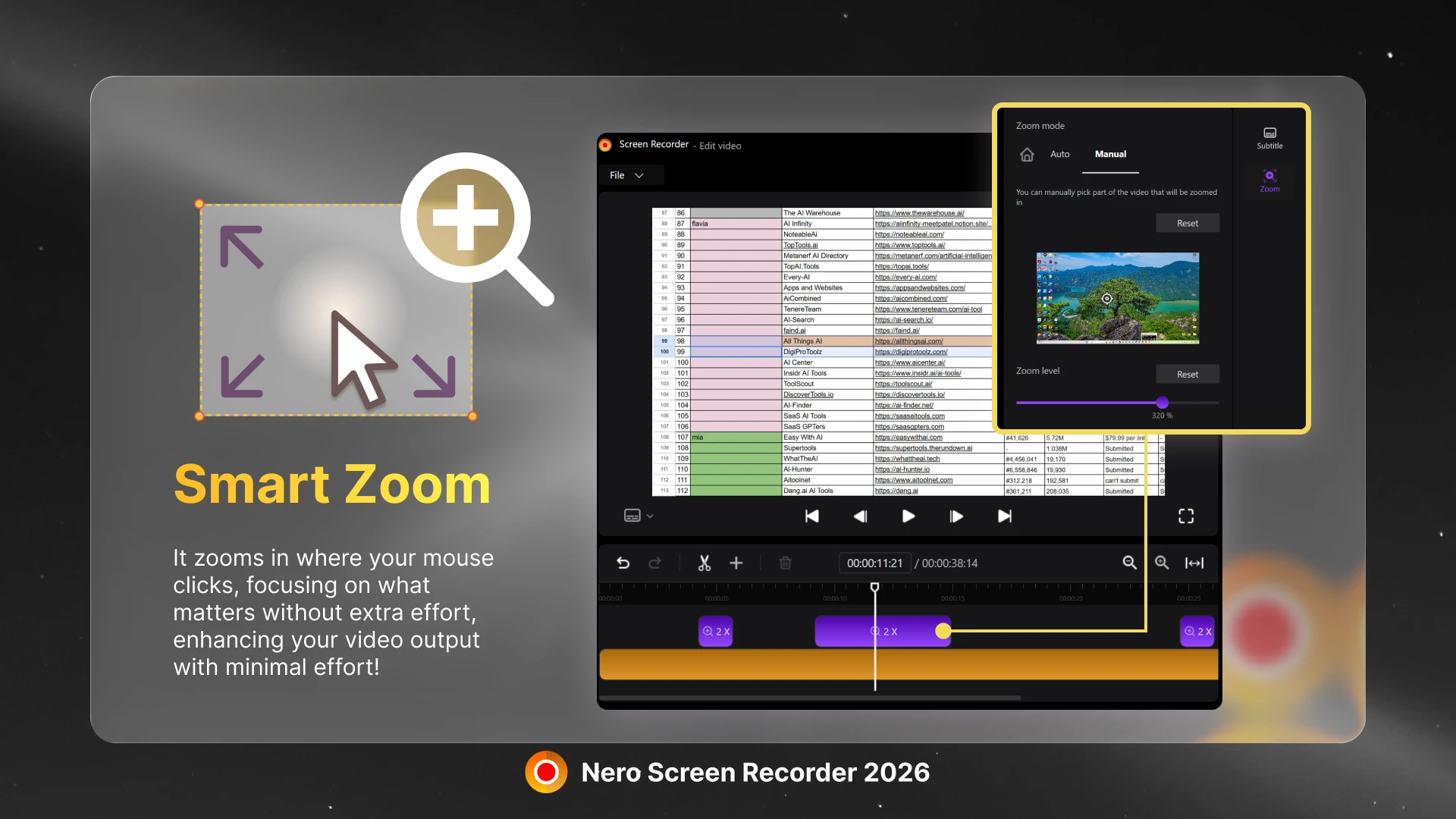
🔍 Auto Zoom on Mouse Clicks
One of the most exciting additions is the new Auto Zoom feature. After recording is complete, the built-in editor will automatically zoom in on the area where you clicked your mouse. This makes it easier than ever to highlight actions, explain processes, and guide viewers’ attention without needing manual editing. Perfect for software tutorials, training videos, or walkthroughs where clarity is key.
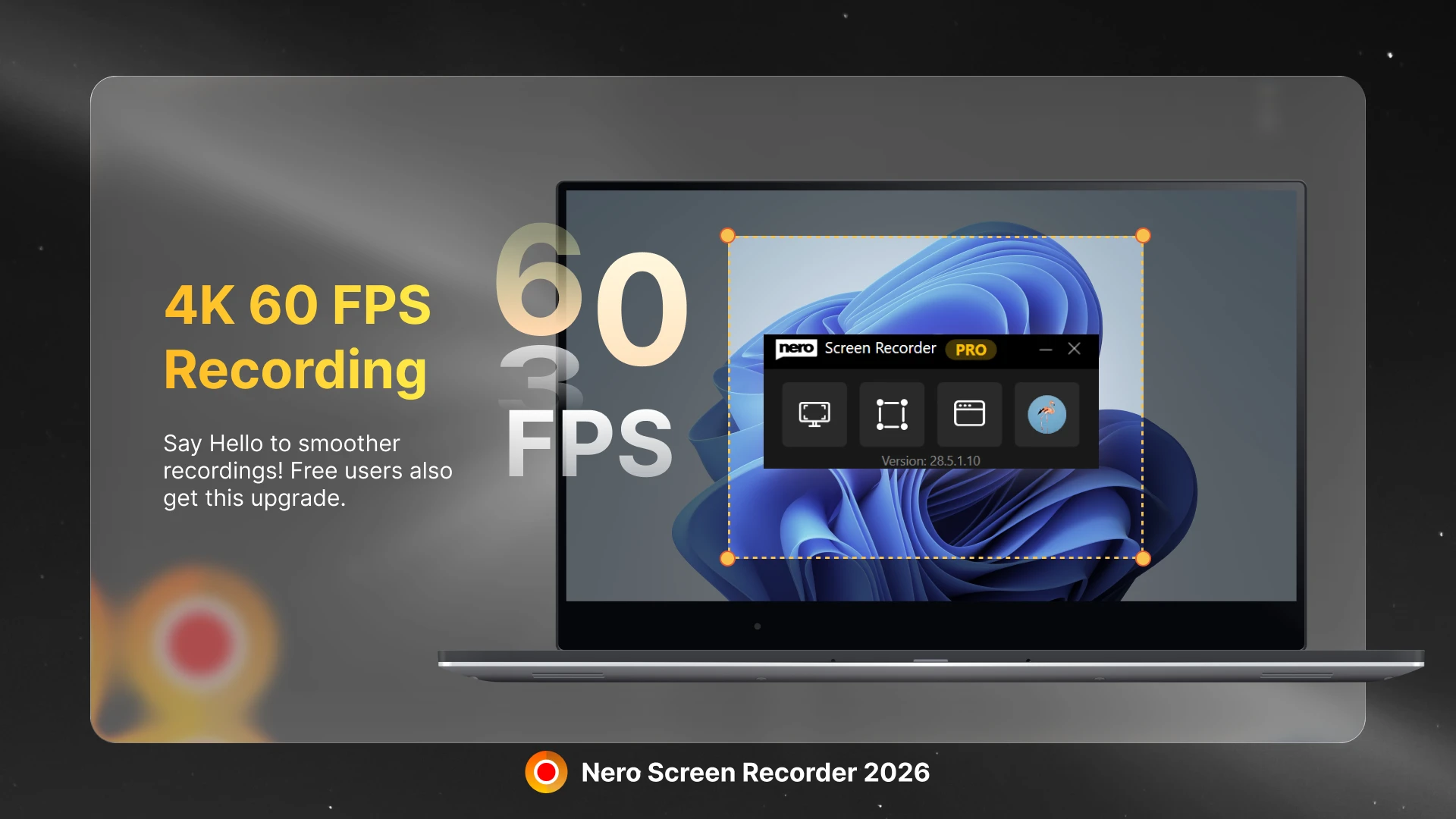
🎥 Smooth 60 FPS Recording
High-quality video recording gets an upgrade with support for 60 FPS. Enjoy smoother motion and crisp detail, whether you’re capturing fast-paced gameplay or professional presentations. With 60 FPS, your videos will feel more fluid and engaging, making them stand out to viewers on any platform.
🚀 Designed for Modern Creators
With these new features, Nero Screen Recorder 2026 helps you:
Save time in editing with automatic mouse-click zooms.
Deliver higher-quality recordings with smoother frame rates.
Create content that looks polished and professional right from the start.
✅ Available with Subscription
The new features in Nero Screen Recorder 2026 are available exclusively with a subscription. If you’re already a subscriber, simply update to the latest version and start using Auto Zoom and 60 FPS recording today.
👉 Upgrade your workflow with Nero Screen Recorder 2026 and take your screen recordings to the next level.