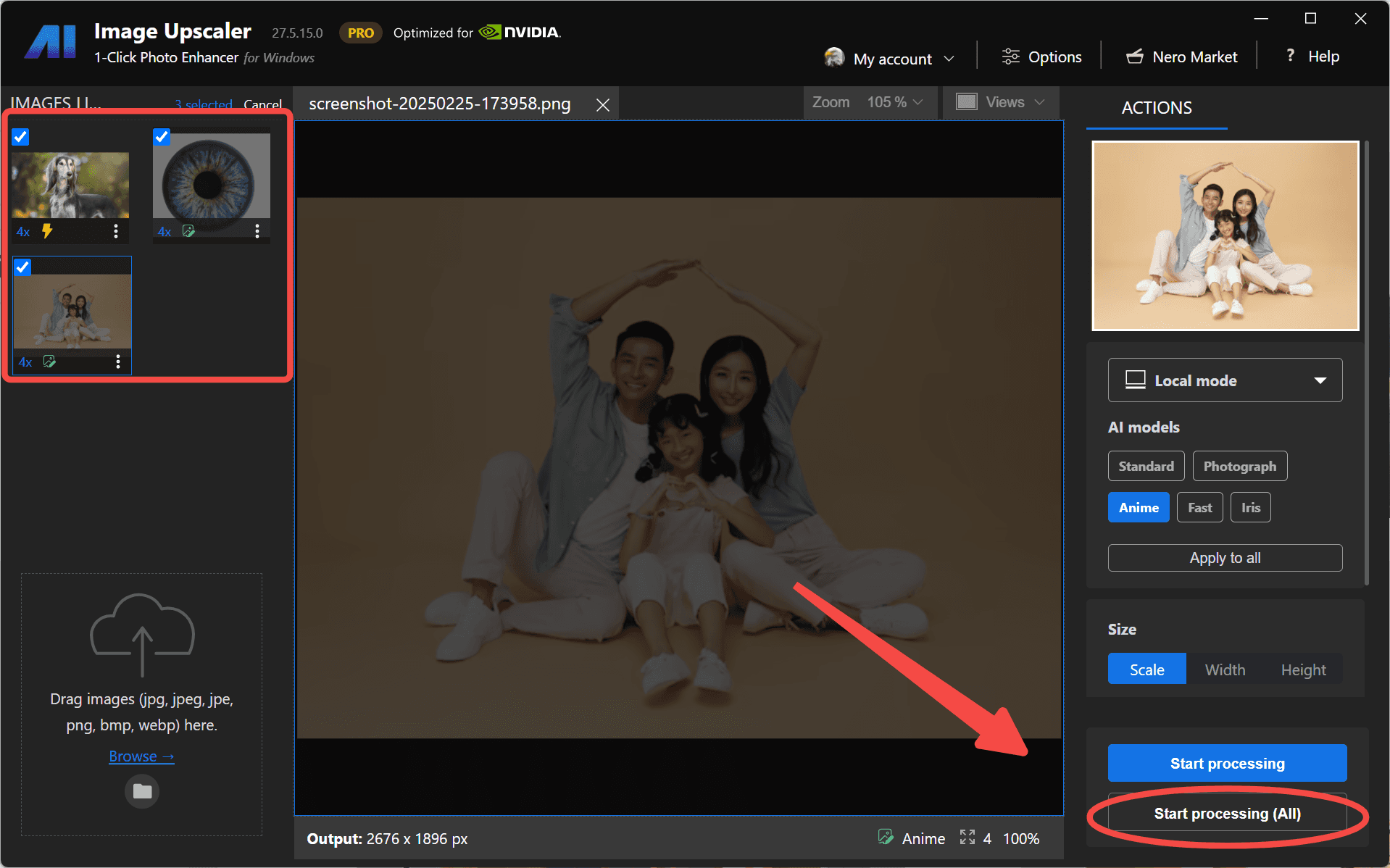
We are thrilled to announce a major update to Nero AI Image Upscaler, bringing new features, enhancements, and a streamlined user experience designed to elevate your image processing to new heights. This release represents our commitment to providing you with the most powerful and intuitive tools for transforming your digital images. Let’s dive into the exciting changes that await you!
👤 Enhanced Face Options: Bringing Your Portraits to Life
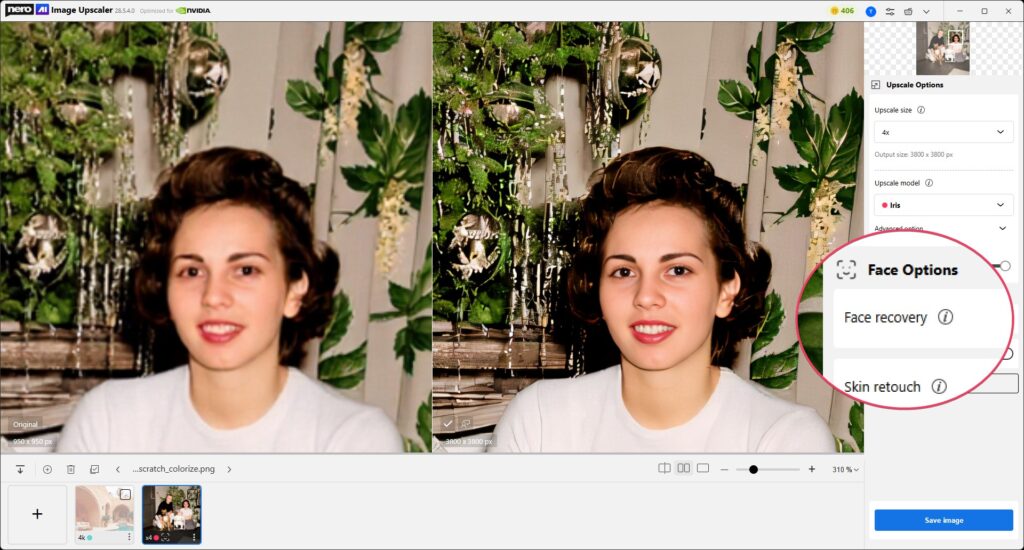
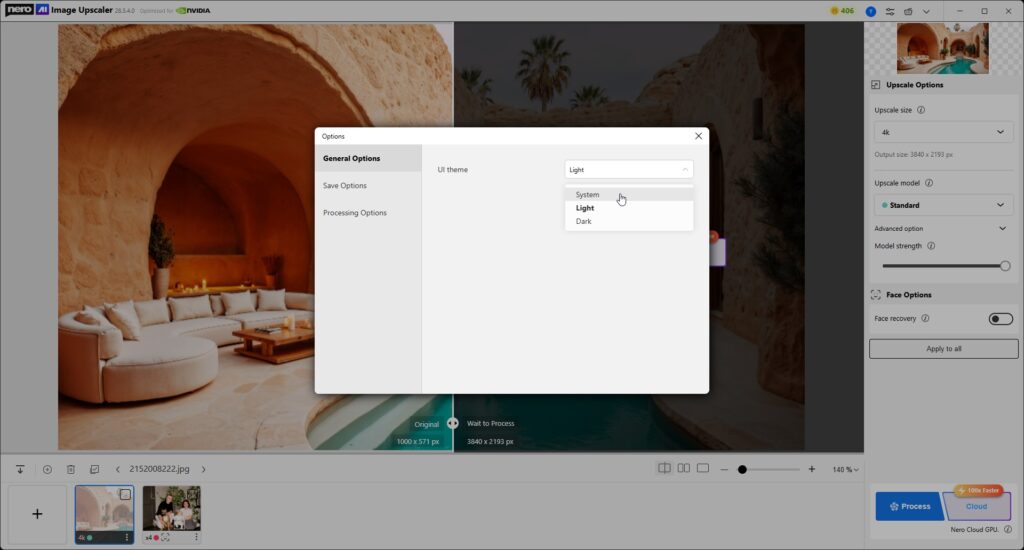
For those who frequently work with portraits and images containing faces, the new update introduces a dedicated Face Options section. This includes intelligent features like Face recovery and Skin retouch, designed to restore and enhance facial details with precision.
From subtle skin smoothing to recovering lost details in eyes and hair, these options give you professional-grade control over portrait enhancement. Best of all, you can now run these portrait features directly with local models, making the workflow faster and more flexible.
📏 Clearer Output Size Specification: Know Before You Process
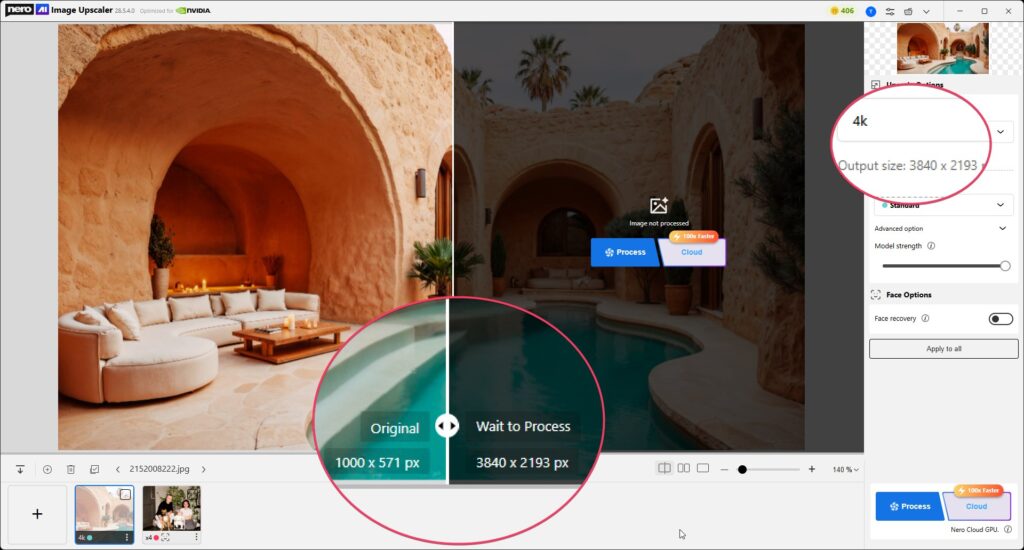
Gone are the days of guessing the final dimensions of your upscaled images. The updated Upscale size option now provides immediate feedback, clearly displaying the resulting output resolution (e.g., “2x” will show “1280 x 784 px”). This transparency ensures you know exactly what to expect before hitting Process.
🎚️ Smarter Model Control: Intuitive and Precise
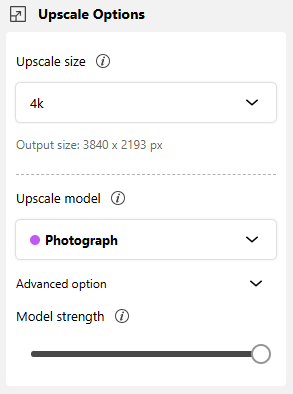
We’ve streamlined the AI model selection process and paired it with a new Model strength slider. Whether you’re working with Photograph, Anime, or other specialized models, you can now select and fine-tune them more easily—balancing subtle refinement with dramatic transformation at your fingertips.
💾 Faster Saving with Fewer Clicks
Saving your processed images is now quicker than ever. Instead of going through an extra confirmation step, results are directly exported according to the default file name and path rules. Fewer clicks, smoother workflow, faster results.
🌙☀️ Light & Dark Mode Support
We’ve added full support for Light Mode and Dark Mode, giving you the flexibility to choose the interface style that best fits your environment and personal preference. Whether you’re working in a bright studio or a dim editing room, Nero AI Image Upscaler now adapts seamlessly for a more comfortable experience.
🚀 Experience the Future of Image Upscaling Today!
This update is more than just an iteration—it’s a testament to our continuous effort to deliver cutting-edge technology with an unparalleled user experience. Update today and unlock the full potential of your images!