Nero Start release notes v.28.5.65.0

What’s new in this version?

  • New: Switch between Local (in-app) login and Online login anytime in Options
  • Improvements: Stability and usability updates, including smoother activation code entry

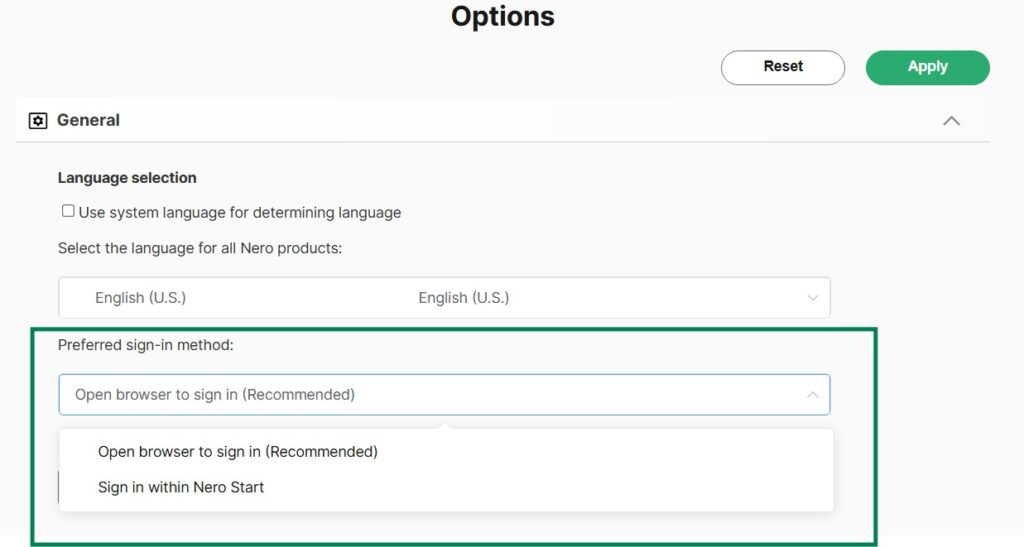
What is “Open browser to sign in” vs “Sign in within Nero Start”?

Nero Start now lets you choose how the sign-in screen opens:

  • Open browser to sign in: Sign in using your default web browser.
  • Sign in within Nero Start: Sign in directly inside Nero Start.

What’s the benefit of open browser to sign in?

When you sign in using Open browser to sign in, your sign-in status can be shared across Nero services that require account login – so you may not need to sign in again in other Nero experiences on the same device/browser environment, for example:

  • Nero Microsoft Store applications,
  • Nero’s official website,
  • Nero AI online services.

This cross-service sign-in experience is not available with Sign in within Nero Start.


How do I switch between different sign-in method?

You can switch anytime in Options, which is helpful if your preferred method works better on your system.

  1. Open Nero Start.
  2. Go to Options.
  3. Find Preferred sign-in method (or a similarly named setting).
  4. Select one option:
    • Open browser to sign in, or
    • Sign in within Nero Start
  5. Apply.

Nero Start release notes v.28.5.45.0

In recent updates, we’ve introduced several enhancements and improvements to make your experience smoother and more efficient. Here’s what’s new:

What’s new?

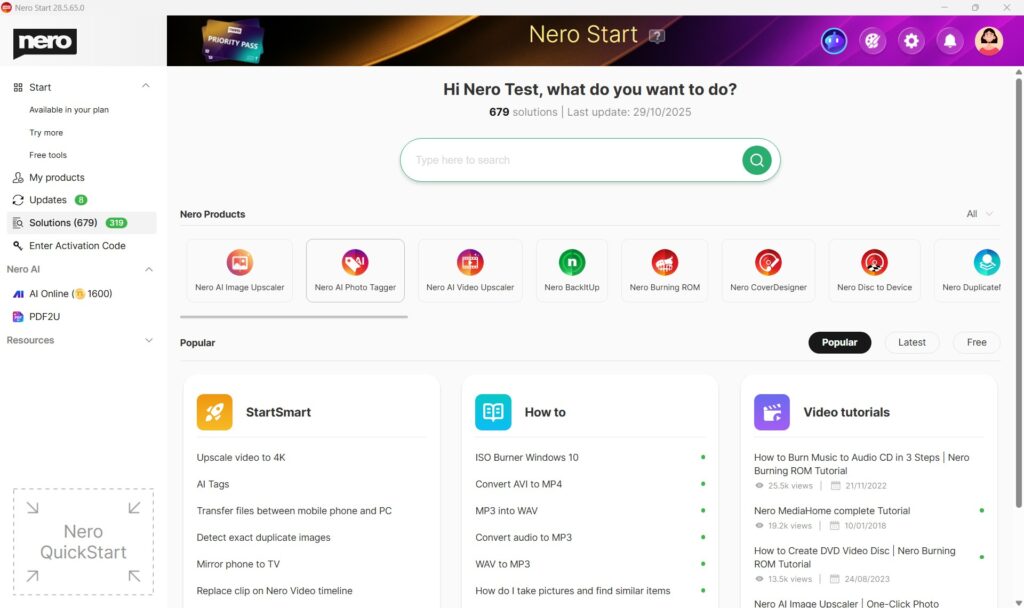
  • Solutions refreshed: Find help faster with StartSmart, How to articles, and Video tutorials — plus improved filters, sorting, and smarter search.
  • StartSmart improved: It’s now easier to launch the right Nero app for your task.
  • Fixes & stability improvements: General bug fixes and reliability improvements.

Learn more: How to use the new Solutions in Nero Start?

Nero MediaHome – release notes v.28.5.2.5 / v.28.0.1.5

Nero MediaHome – 2026 New Year Update Release Notes

This 2026 New Year Update release of Nero MediaHome introduces functional enhancements focused on usability, media organization, and extended processing capabilities. Several improvements are based on long-standing customer requests.


Photo and Metadata Enhancements

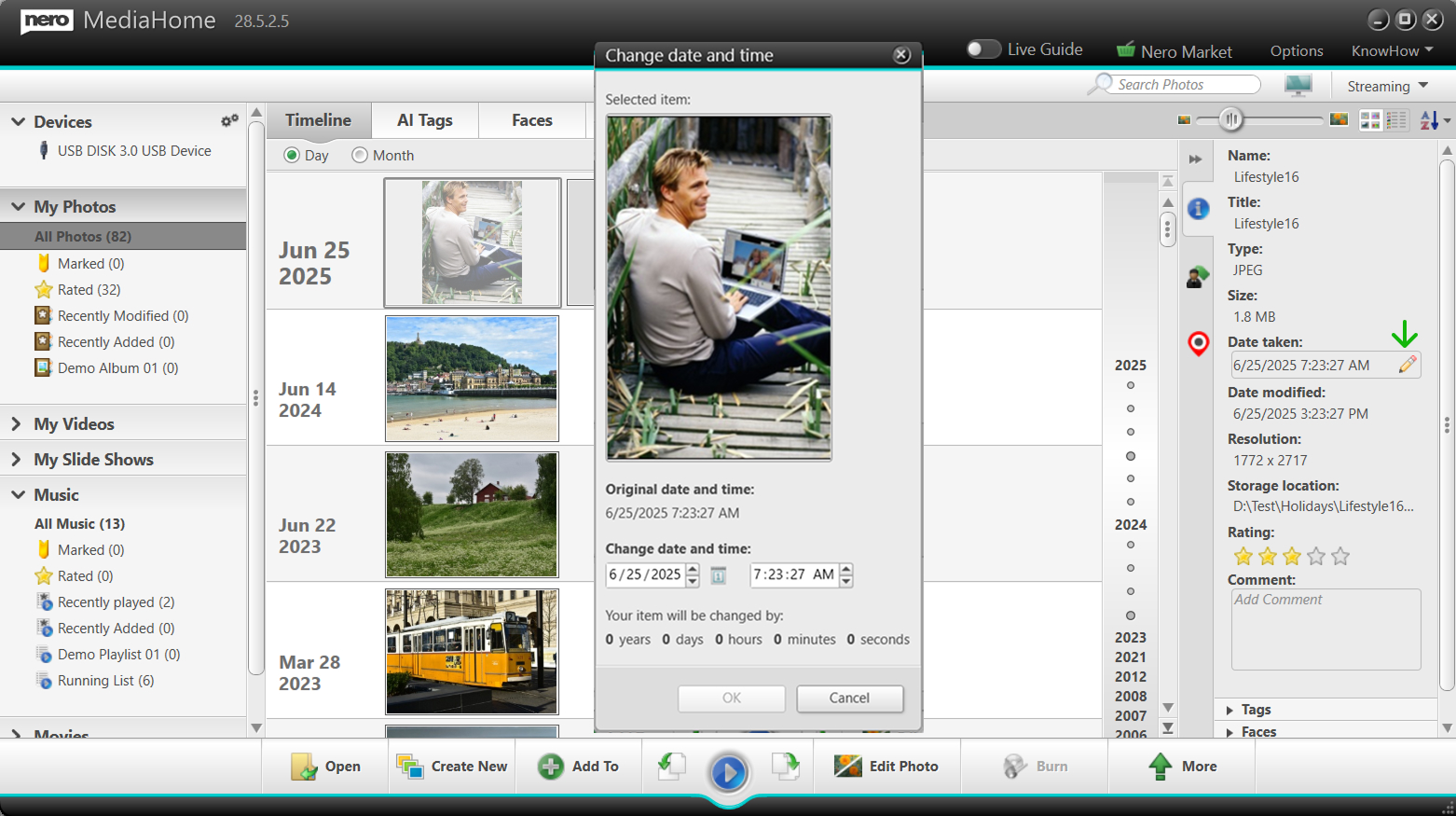
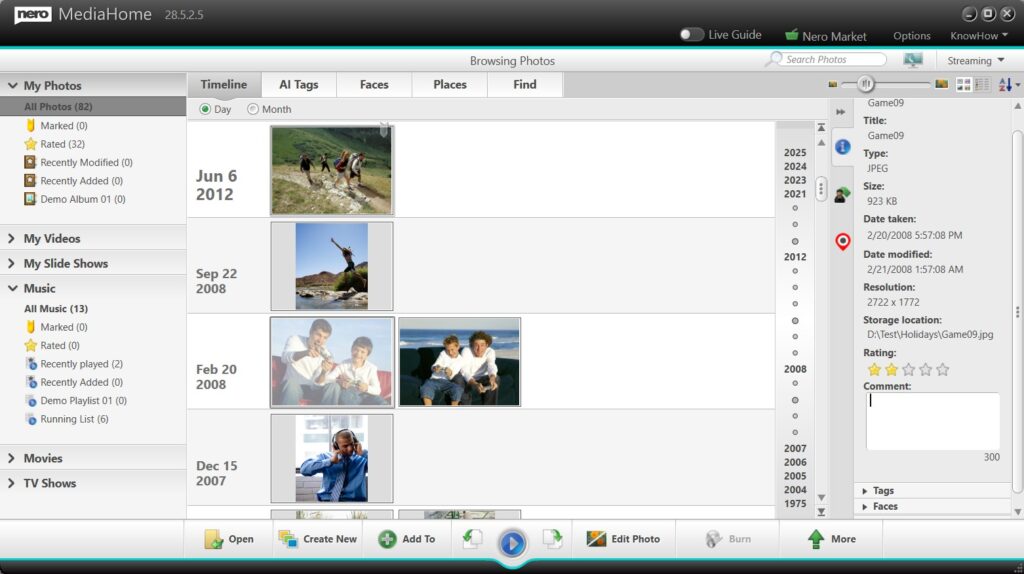
1-Click Editing of “Date Taken”

The Date Taken metadata of photos can now be triggered directly from the Info panel.

Edit "Date taken" for photo from Info Panel
Example: Edit “Date taken” for photo from Info Panel
  • Faster correction of incorrect or missing dates

  • Suitable for scanned images and imported photo collections


New Comment Field in the Info Panel

A new Comment field has been added to the Info panel.

Add comment for photo from Info Panel
Example: Add comment for photo from Info Panel
  • Enables users to add personal notes, stories, or descriptions

  • Supports long-term documentation of photo libraries


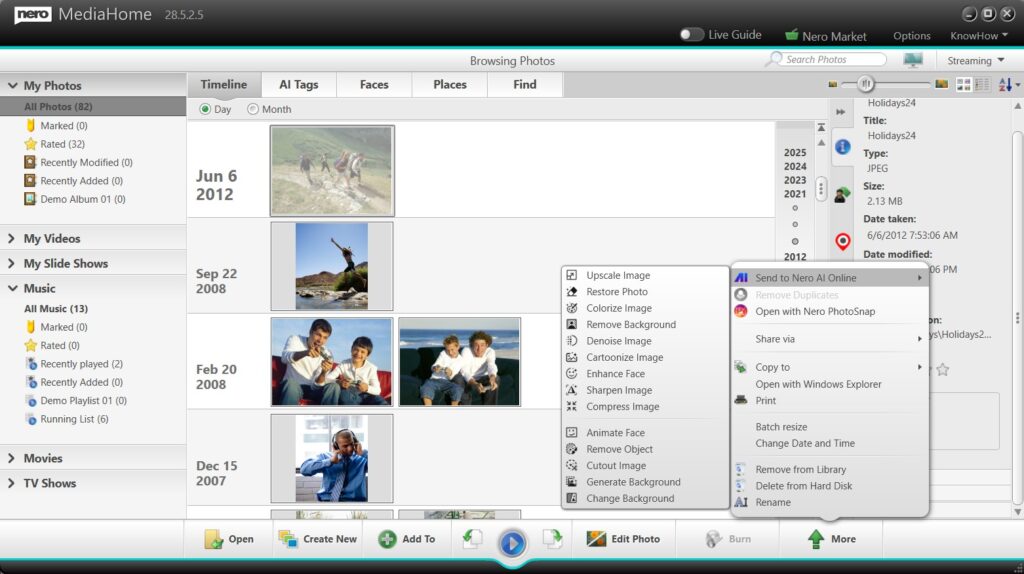
1-Click Handover to Nero AI Online Services

Photos can now be handed over with one click to Nero AI online services.

Send to Nero AI online to enhace photos
Example: Send to Nero AI online to enhance photos
  • Supports single photo enhancement

  • Supports batch photo enhancement

  • Provides access to advanced AI-based image processing

This integration allows users to benefit from powerful AI technology while continuing to manage their media within Nero MediaHome.


Slideshow Improvements

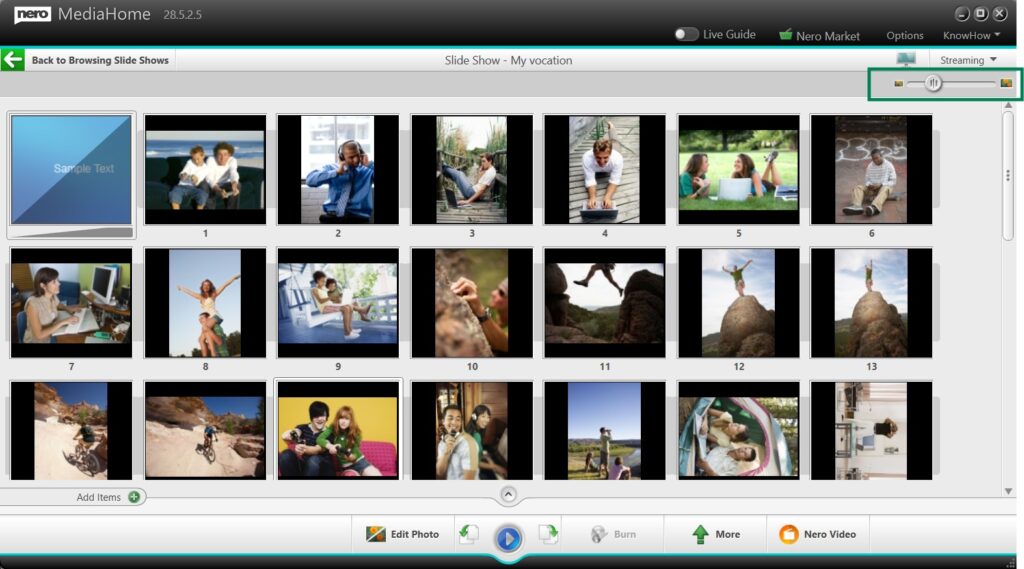
Slideshow Thumbnail Zoom Control

A zoom slider has been added to the slideshow thumbnail overview.

Slideshow Thumbnail Zoom Control
Example: Slideshow Thumbnail Zoom Control

  • Adjust thumbnail size for improved visibility

  • Simplifies selection and ordering of slideshow images

  • Especially useful for large or high-resolution collections


Music Playback and Export

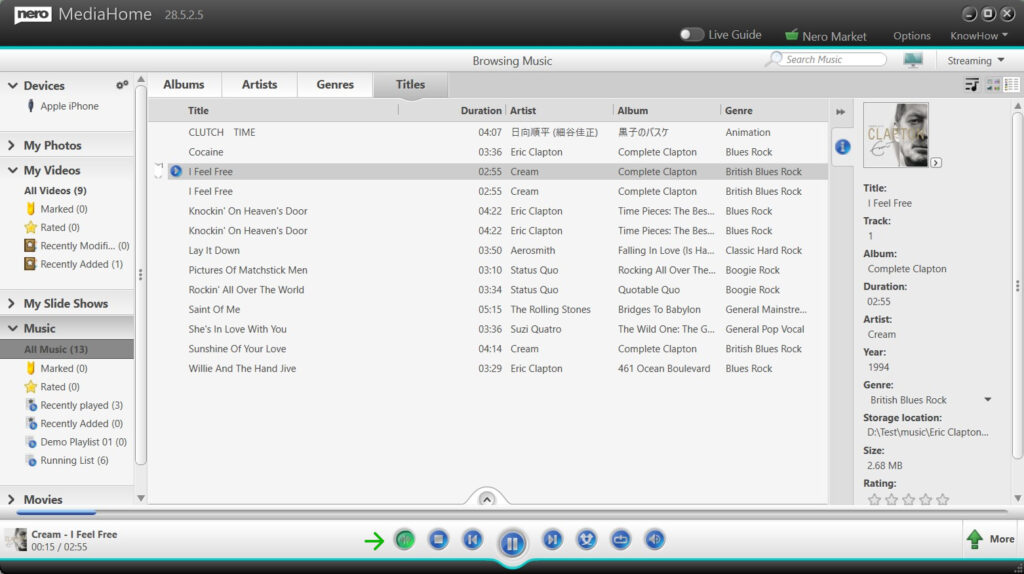
Music Normalization

Nero MediaHome now supports music normalization.

turn on audio normalization
Example: turn on audio normalization
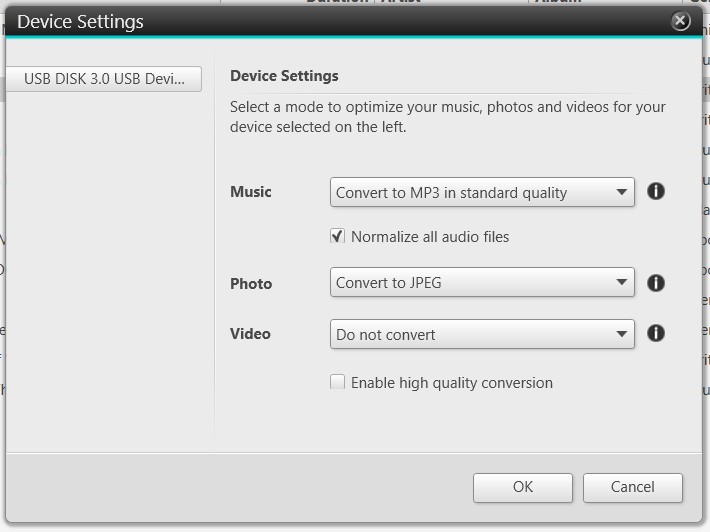
Normalize all audio files in Device Settings
Example: Normalize all audio files in Device Settings
  • Available during music list playback

  • Supported when exporting music to external devices

This optional feature helps achieve more consistent volume levels across different tracks.


Availability

All features listed above are included in the Nero MediaHome New Year Update release and are available for Nero MediaHome 2026, Nero Platinum 2026 and Nero Platinum subscribers.

What’s New in Nero DuplicateManager 2026?

Keeping your media collection organized just got even easier. With the 2026 update of Nero DuplicateManager, we’ve expanded its powerful duplicate detection capabilities to go beyond images, making it the ultimate tool for cleaning and managing your digital library.


🎵 Detect Exact Duplicate Audio Files

Got the same song stored in multiple folders? With the new audio duplicate detection, Nero DuplicateManager can now find exact duplicate audio files across your drives. Whether it’s duplicate music tracks in your playlists or backup folders you forgot about, you can quickly identify and remove unnecessary copies to free up space and keep your library tidy.


🎬 Detect Exact Duplicate Video Files

Videos often take up the most storage space—and now you can keep them under control. The new update introduces video duplicate detection, allowing Nero DuplicateManager to spot exact duplicate video files across your system. From old project exports to repeated downloads, you’ll be able to clean up your drives with confidence.


🖼️ Built on Proven Image Detection Technology

Nero DuplicateManager 2026 builds on its existing strengths. The previous version already helped users find exact and similar duplicate images, making it easy to organize photo collections. Now, with support for audio and video duplicates, it becomes a complete solution for managing all types of media files.


🚀 Part of Nero Platinum Suite

The new Nero DuplicateManager 2026 is included with the latest Nero Platinum Suite update. As always, you’ll get the newest features automatically, ensuring your tools are always up to date.

👉 Update to Nero Platinum Suite 2026 today and experience smarter media management with Nero DuplicateManager.

Upgrade Now 🛒

What’s New in Nero AI Video Upscaler 2026?

The wait is over—Nero AI Video Upscaler 2026 is here, and it comes packed with powerful new features designed to make your video enhancement workflow faster, smarter, and more flexible. Whether you’re a content creator, filmmaker, or simply someone who wants the best quality from their videos, this update is built with you in mind.


✨ New Enhance Detail Model

Bring out every nuance in your footage with the brand-new Enhance Detail model. Designed for users who want maximum sharpness and texture, this AI model goes beyond resolution upscaling to intelligently restore fine details, making old or low-resolution videos look sharper than ever before. Perfect for archival material, family videos, or professional projects where clarity matters most.


📂 Batch Video Import

Tired of loading files one by one? The Batch Video Import feature lets you add multiple videos at once for upscaling. Simply drag and drop entire folders into the app, and Nero AI Video Upscaler will automatically prepare them for processing. This means less time managing files and more time focusing on the results.


⚙️ Save & Load Presets for Batch Processing

Efficiency just got an upgrade. With the new Save and Load Presets, you can store your favorite settings—AI model, resolution, output format—and apply them instantly to future projects. Combined with batch processing, this feature is a game-changer for professionals handling large volumes of videos.


🚀 Built for Speed and Flexibility

These new tools aren’t just about convenience—they’re about giving you a workflow that adapts to your needs. Whether you’re enhancing a single clip with maximum detail or processing dozens of videos overnight, Nero AI Video Upscaler 2026 delivers a seamless editing experience.


✅ Availability

The new features in Nero AI Video Upscaler 2026 are available exclusively for:

  • Active subscriptions

  • Nero AI Video Upscaler 2026 Lifetime version

  • Nero AI Video Upscaler MS Store and Steam latest version

If you’re using an earlier lifetime version, upgrade today to access the new Enhance Detail Model, Batch Video Import, and Save & Load Presets.

👉 Upgrade now and unlock the full power of AI-driven video upscaling.